Activity Center Overview
Written By Sinan Murat
Last updated 5 months ago
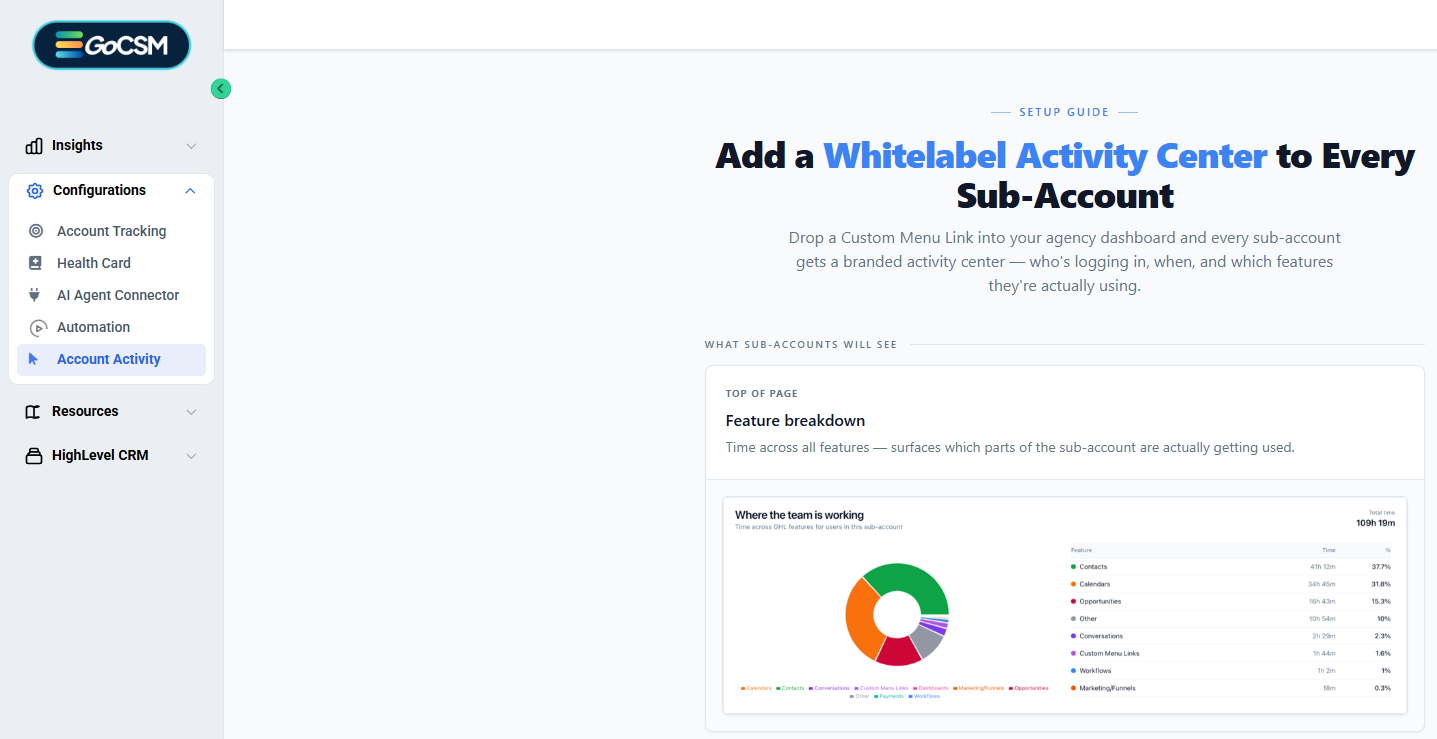
Every sub-account in your agency now gets its own branded activity dashboard, surfaced directly inside their GHL navigation as a Custom Menu Link.
What sub-accounts see inside the Activity Center
Feature breakdown — Time split across features (Contacts, Calendars, Workflows, Opportunities, etc.) showing exactly which parts of the platform are being used and how much
Per-user activity table — Every user in the sub-account listed with their last login time, total time spent, and an activity status badge (Active / At Risk / Inactive)
Activity trend chart — Active vs inactive users over time with a 7d / 30d / 90d toggle so they can spot usage trends at a glance
Hourly login heatmap — Day-of-week × hour grid showing when the sub-account team is most active throughout the day
The view automatically excludes agency admins. Sub-accounts only see their own team's data, not the parent agency's users.
Built-in setup guide
The setup guide built directly inside your GoCSM dashboard. When an agency owner or admin opens the Activity Center link inside any sub-account for the first time, they see a step-by-step guide with the Custom Menu Link URL pre-filled and a one-click copy button. They don't need to reach out to support, instead the guide walks them through the full setup in under 2 minutes.
The setup guide is also accessible standalone at:https://csm-super-logger-o459a.ondigitalocean.app/sub-account-setup
How setup works (for Support)
5 steps, ~2 minutes:
Go to Settings → Custom Menu Links in GHL
Click Add Custom Link → choose Sub-Account type
Paste the URL:
https://betaagency.gocsm.io/sub/{{location.id}}/login-activityName it (suggested: Whitelabel Activity Center), pick an icon, save
Open any sub-account — the menu item appears in the left nav immediately
The {{location.id}} placeholder is replaced automatically by GHL — each sub-account gets a URL scoped to itself. No per-sub-account configuration needed.
Note: The Activity Center only shows data for sub-accounts that are being tracked in GoCSM. Untracked sub-accounts will see a locked screen prompting them to enable tracking.
For Marketing
Positioning angle: Your agency can now offer their clients a live usage dashboard inside GHL — under your own brand, with zero extra login. It's a retention and upsell tool: clients who see their own activity data stay engaged, and your agency can use it to justify renewals and upsells on every check-in call.
Key proof points:
Zero client friction — appears as a native GHL menu item, no separate app or login
Per-user visibility — agencies can have direct accountability conversations ("only 1 of your 5 users has logged in this month")
Feature adoption evidence — shows clients exactly which features they're paying for and actually using
Self-serve setup — the guide is built into the product, no onboarding call needed
Was this helpful?
Still need help? Ask the team