Upcoming Plan Renewal (Trigger)
Written By GoCSM
Last updated 6 months ago
Overview
The Upcoming Plan Renewal trigger activates before a customer's subscription is scheduled to renew.
This trigger helps teams prepare for renewal events and proactively engage with customers before billing occurs. It can be used for both internal preparation and customer communication.
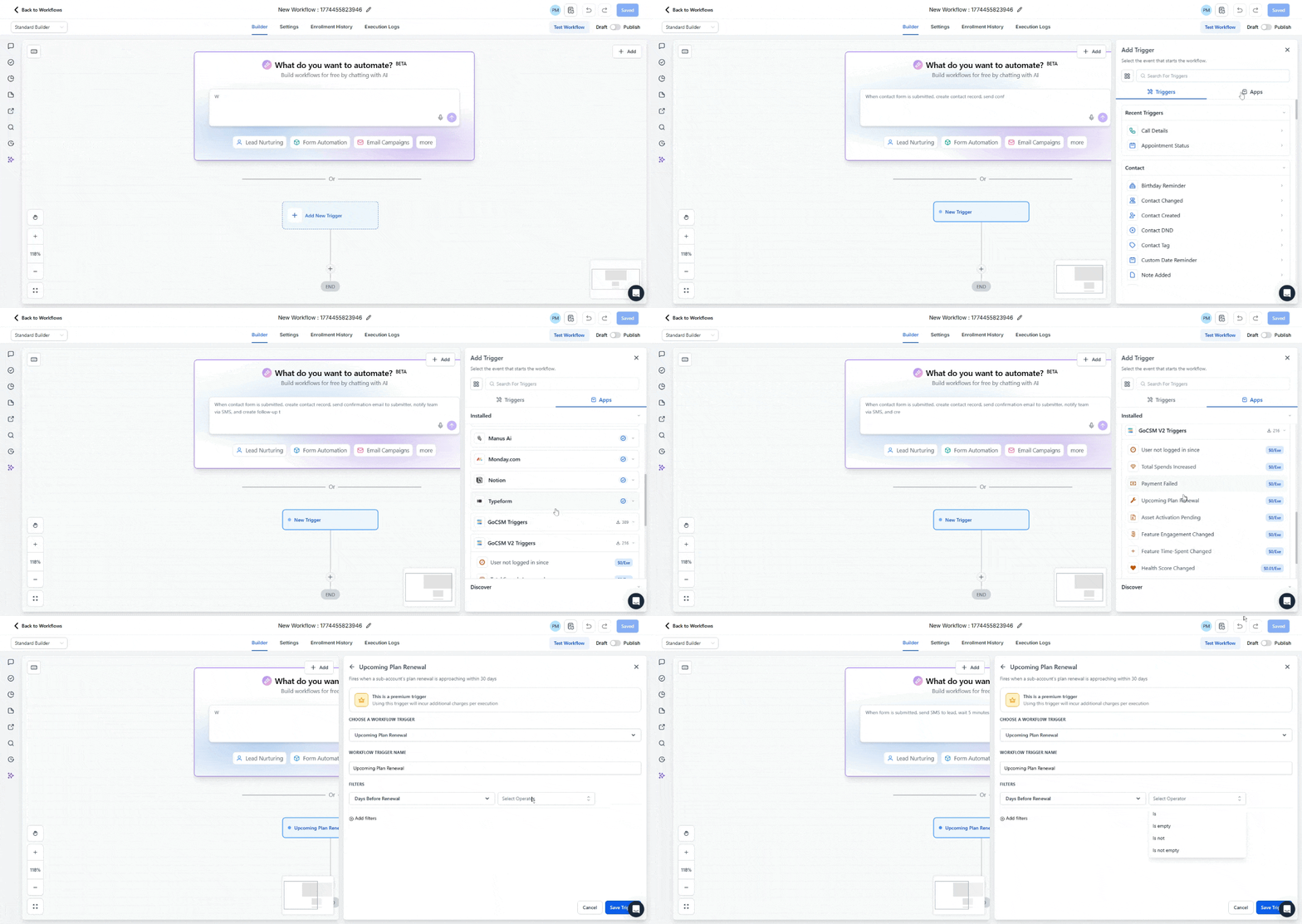
How the Trigger Works
When GoCSM detects that a subscription renewal is approaching, the workflow begins automatically based on the configured timing.
You can configure the trigger to activate a set number of days before renewal.
This allows you to automate actions such as:
Sending renewal reminders
Notifying Customer Success teams
Reviewing account health before renewal
Preparing upsell conversations
Trigger Filters
Filters give you control over which renewal events activate this trigger and how often it fires. There is one required Primary Filter and several optional Additional Filters.
Primary Filter
Days Before Renewal (Required)
Sets how far in advance of the renewal date the trigger should fire.
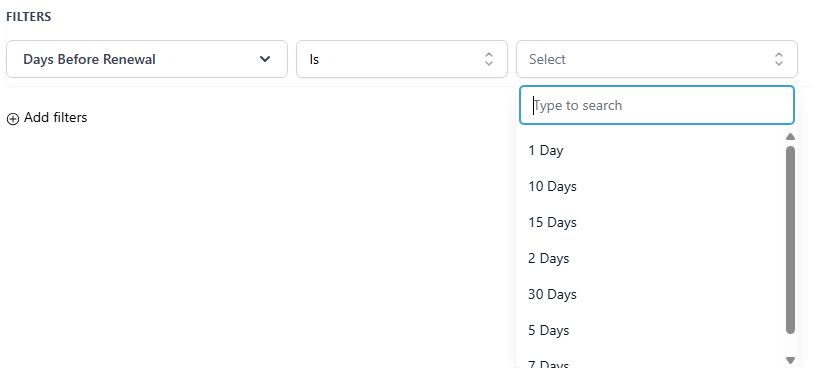
Available values: 1, 2, 5, 7, 10, 15, 30 days
For example, setting this to 7 days will activate the workflow one week before each qualifying subscription is due to renew.
Tip: Consider building separate workflows for different lead times — a 30-day workflow for internal CSM preparation and account health review, and a 7-day workflow for sending the customer-facing renewal reminder.
Additional Filters
These filters are optional and can be combined to control which renewals qualify and how the trigger behaves over time.
Payment Frequency
Limits the trigger to subscriptions renewing on a specific billing cycle.
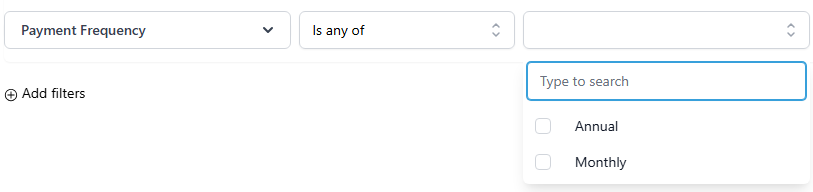
Use this to create separate workflows tailored to each billing cycle. For example, a more hands-on renewal process for annual accounts versus a lighter-touch reminder for monthly subscribers.
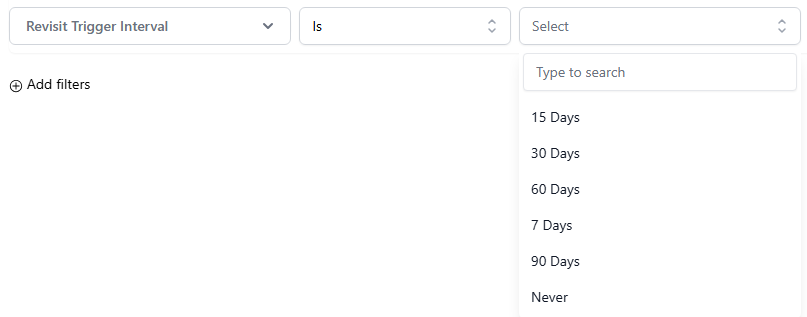
Revisit Trigger Interval
Controls how often this trigger can fire for the same account. This is particularly useful for monthly subscribers where the trigger could otherwise fire every renewal cycle without restriction.
Sub-Account Priority
Limits the trigger to accounts based on their priority status.
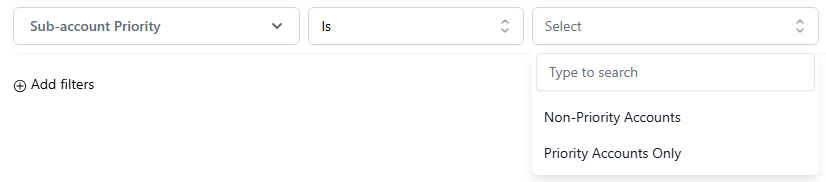
Use this to build a higher-touch renewal workflow for your most important accounts while keeping a standard automated flow for the rest.
SaaS Plan
Limits the trigger to accounts on a specific SaaS plan. The available plan options reflect the plans configured within your agency.
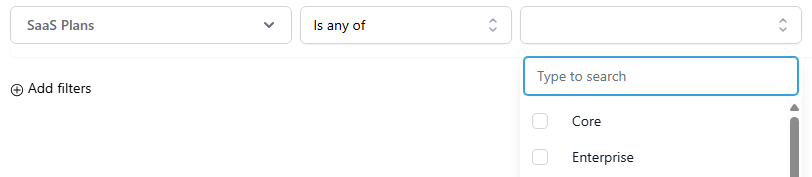
Use this to customize renewal messaging or internal processes based on plan tier. For example, routing enterprise plan renewals to a dedicated CSM while sending self-serve reminders to lower-tier accounts.
Required Setup: Find Contact Step
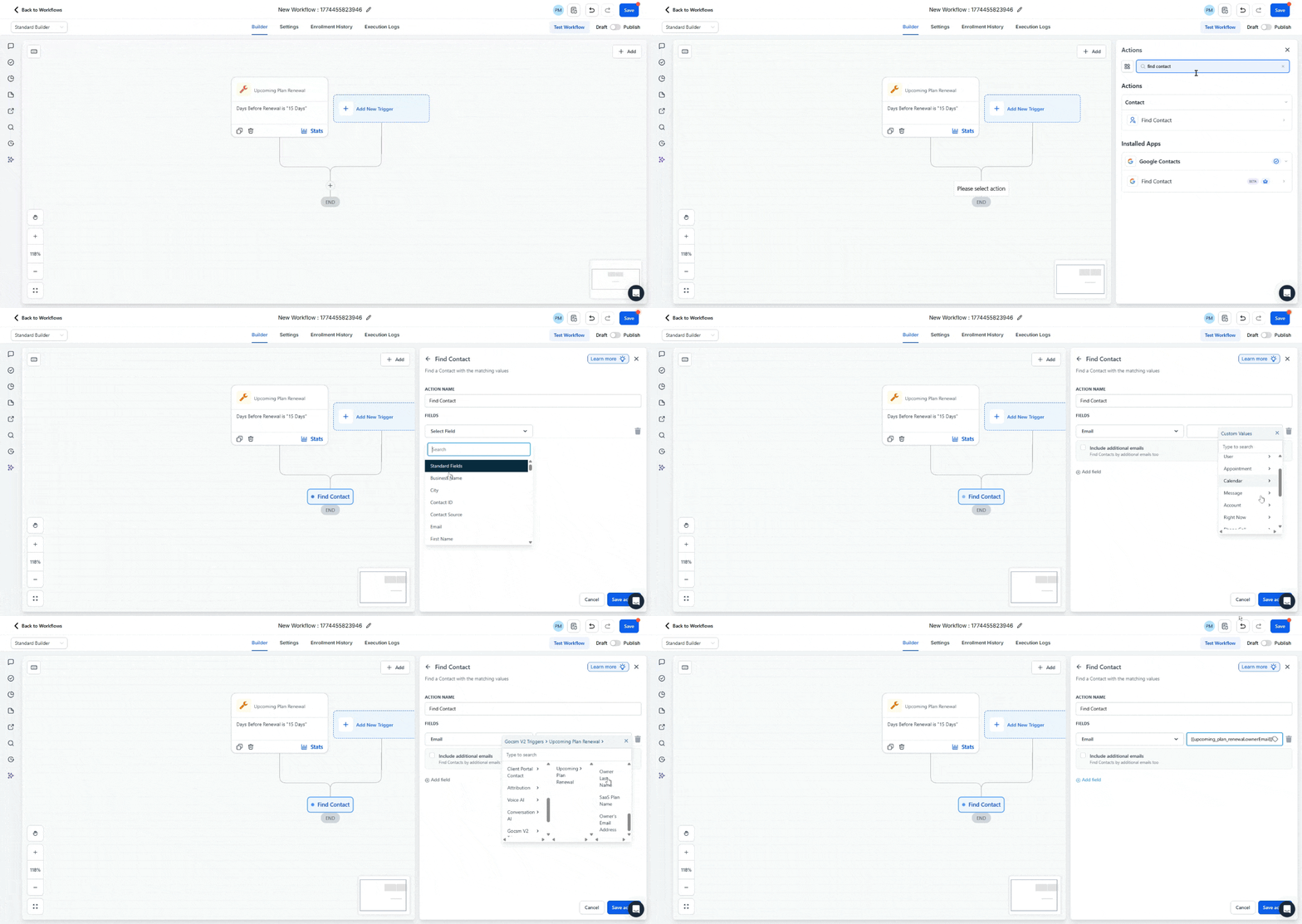
After the trigger fires, the workflow needs to determine which contact in your CRM the event relates to. This is where the Find Contact action comes in.
The Find Contact step searches your CRM using information provided by the trigger event, most commonly the user’s email address.
Example:
Field: Email
Value: {{upcoming_plan_renewal.ownerEmail}}
This step is required because the trigger event originates from the connected application, not directly from your CRM. The Find Contact action links the event data to the correct contact record in your system.
Without this step, the workflow would not know which contact should be updated, notified, or messaged.
How to Build a Workflow Using This Trigger
Create a new workflow
Select Upcoming Plan Renewal as the trigger
Configure the number of days before renewal
Add the Find Contact action step
Map the Email field using the trigger variable (
{{upcoming_plan_renewal.ownerEmail}})Add any notifications, reminders, or follow-up actions
Publish the workflow
Recommended Uses
Send renewal reminders to customers 7 days before billing occurs
Notify Customer Success Managers 30 days out to review account health and prepare for renewal conversations
Create separate workflows for monthly and annual subscribers with messaging and processes tailored to each
Build a high-touch renewal workflow exclusively for priority accounts while automating standard reminders for the rest
Identify at-risk accounts before renewal by combining this trigger with account health data
Was this helpful?
Still need help? Ask the team