Understand Revenue Churn and Risk
Written By GoCSM
Last updated 4 months ago
What This Is
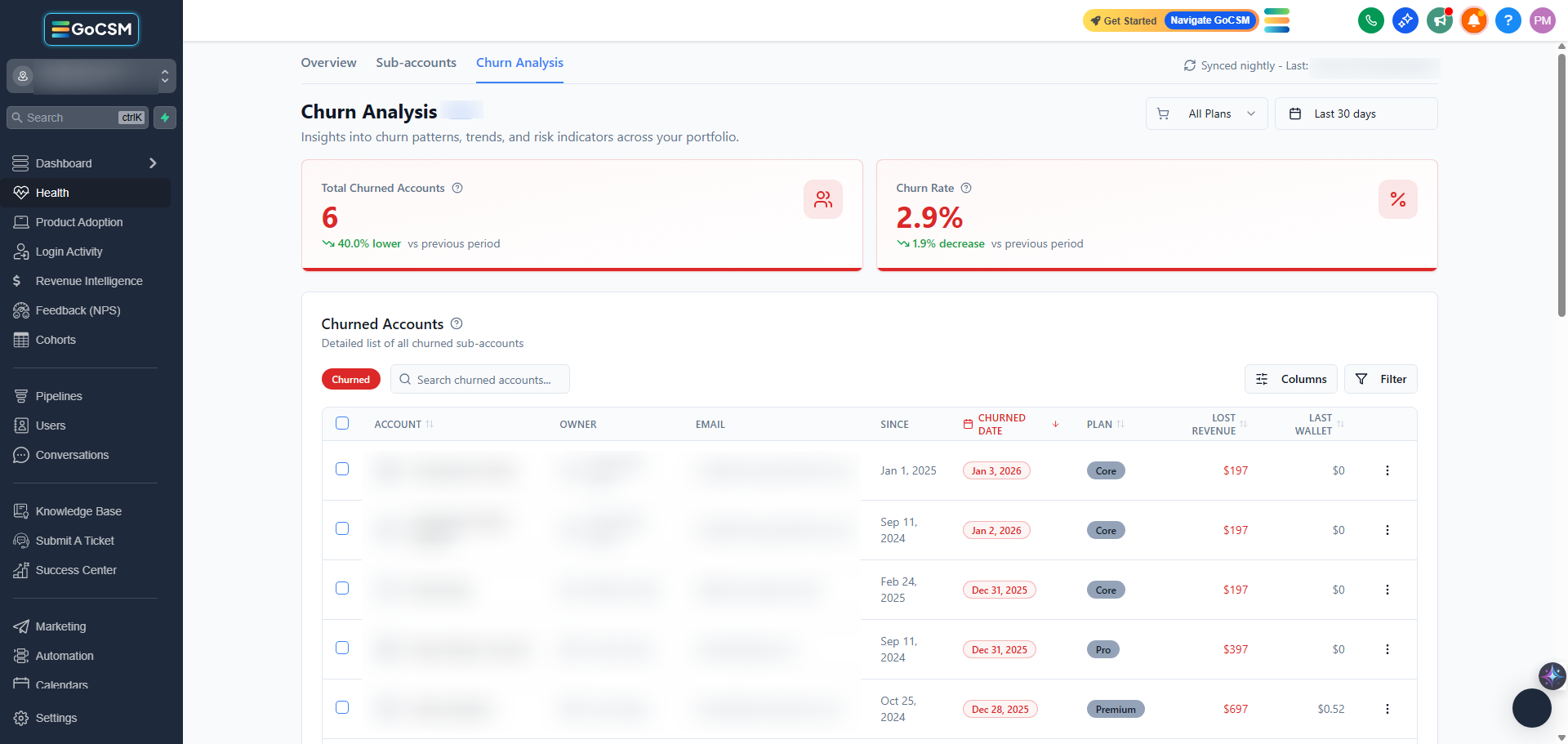
Revenue churn shows how much recurring revenue you’ve lost during a selected period of time.
Unlike customer churn, which counts the number of customers lost, revenue churn focuses on the financial impact of those losses.
Why This Matters
Not all churn affects your business equally.
Losing one high-value account can have a bigger impact than losing several smaller ones. Revenue churn helps you understand where the real damage is happening so you can respond appropriately.
It helps you:
Measure the true cost of cancellations and downgrades
Identify high-impact revenue losses
Focus retention efforts on accounts that matter most
Where to Find It
Path: Dashboard → Revenue Intelligence → Churn Analysis
How It Works
GoCSM tracks revenue churn based on recurring revenue that is lost due to:
Subscription cancellations
Subscription downgrades
Churn is calculated based on revenue that is no longer expected to recur and is updated on a nightly sync.
Revenue Churn vs Customer Churn
These two metrics answer different questions.
Customer churn shows how many accounts were lost
Revenue churn shows how much money was lost
This is why GoCSM emphasizes revenue churn when evaluating business impact.
How to Read Revenue Churn
Low churn = strong revenue stability
Spikes in churn = immediate review needed
Consistent churn over time = deeper retention issues
Always review churn alongside trends and account-level data.
Automate This with Workflow Triggers
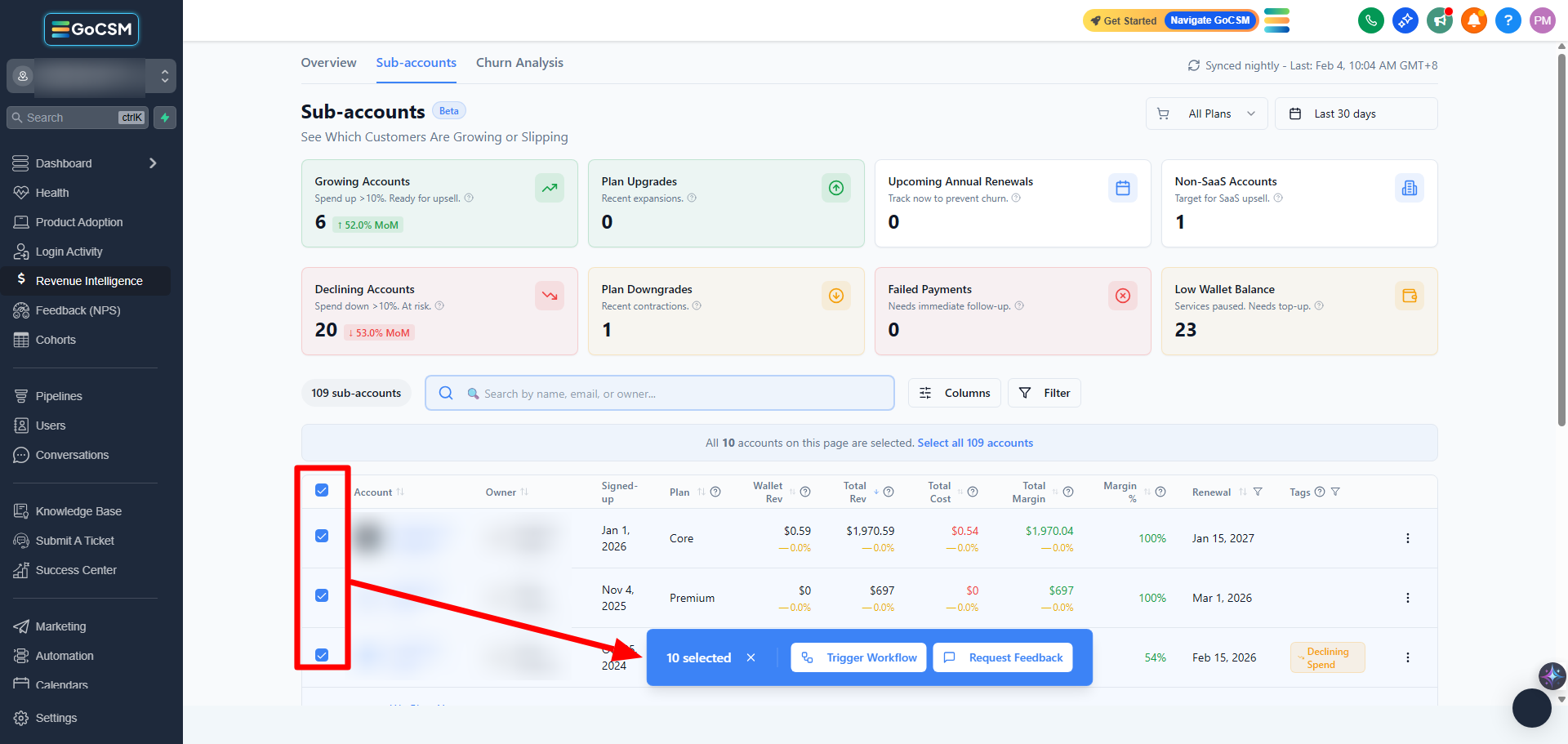
You can automatically or manually take action when these signals appear using Workflow Triggers such as triggering GoHighLevel workflows or requesting feedback directly from the table.
Tips
Review churn monthly instead of daily
Pair churn data with Health Status to find early warning signs
Investigate downgrades before they turn into cancellations
Who Should Use This
Agency owners
Customer Success Managers
Leadership teams
Related Articles
See Where Revenue Is Gained or Lost
Track Upcoming Renewals Before They Happen
Review Revenue at the Account Level
How Revenue Data Impacts Customer Health