See Where Revenue Is Gained or Lost
Written By GoCSM
Last updated 8 months ago
What This Is
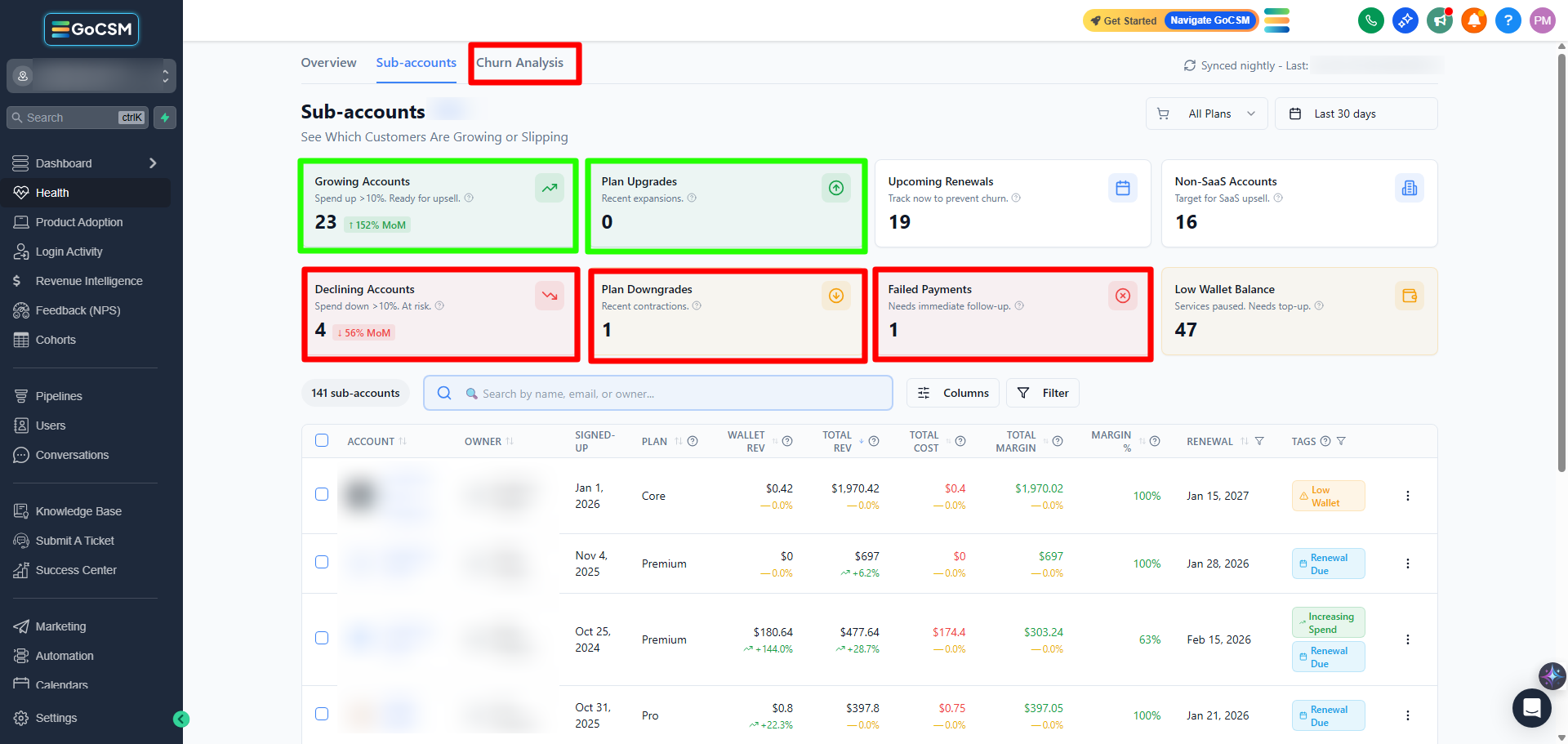
This view helps you understand how your revenue changes over time by clearly separating revenue gains from revenue losses.
Instead of relying on one total number, GoCSM shows what is increasing revenue and what is reducing it.
Why This Matters
Revenue growth and revenue loss often happen at the same time.
This breakdown helps you:
Understand what’s driving growth
Identify where revenue is leaking
See whether new revenue is offsetting losses
Make better decisions around retention and expansion
It prevents false confidence based on totals alone.
Where to Find It
Path: Dashboard → Revenue Intelligence → Overview/Subaccounts/Churn Analysis
How It Works
GoCSM tracks revenue movement based on account and subscription activity.
Revenue gains come from:
New subscriptions
Plan upgrades
Increased usage-based spend
Revenue losses come from:
Subscription cancellations
Plan downgrades
Reduced usage-based spend
These changes are reflected automatically and update on a nightly sync.
How to Read Revenue Gains
Revenue gains indicate momentum.
Strong gains suggest successful acquisition or expansion
Gains driven only by usage may be temporary
Sustainable gains usually include subscription growth
Always look at gains alongside margin.
How to Read Revenue Losses
Revenue losses highlight contraction.
Cancellations have the largest long-term impact
Downgrades often signal reduced value or engagement
Decreased usage may indicate early risk
Losses should be reviewed together with Health Status and Adoption.
Tips
Don’t ignore losses just because total revenue looks stable
Investigate downgrades before they become cancellations
Use this view during monthly reviews to guide action
Who Should Use This
Agency owners
Customer Success Managers
Account managers
Related Articles
Understand Revenue Churn and Risk
Track Monthly Recurring Revenue (MRR)
Review Revenue at the Account Level
Identify Revenue at Risk from Failed Payments