Review Revenue at the Account Level
Written By GoCSM
Last updated 4 months ago
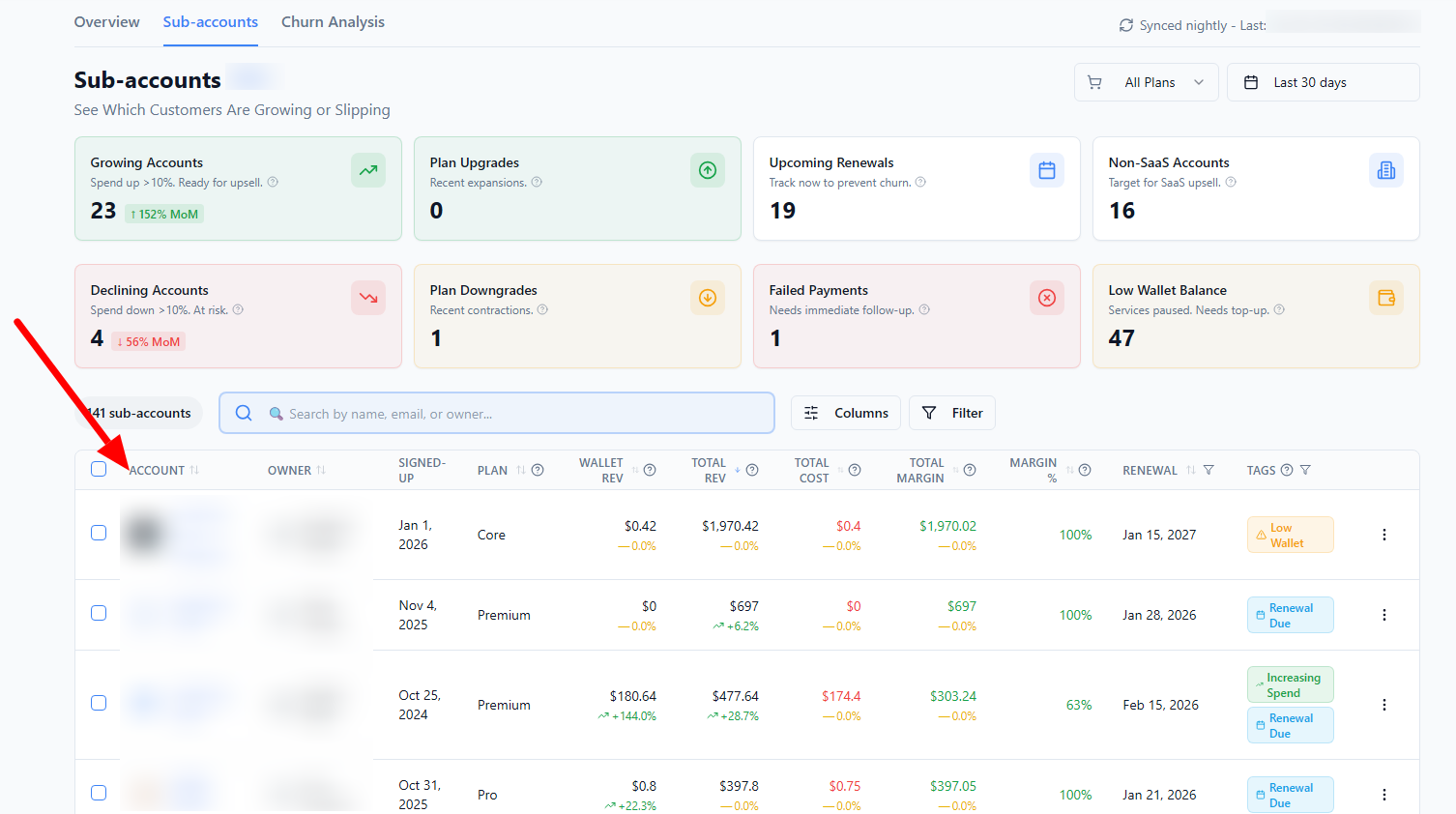
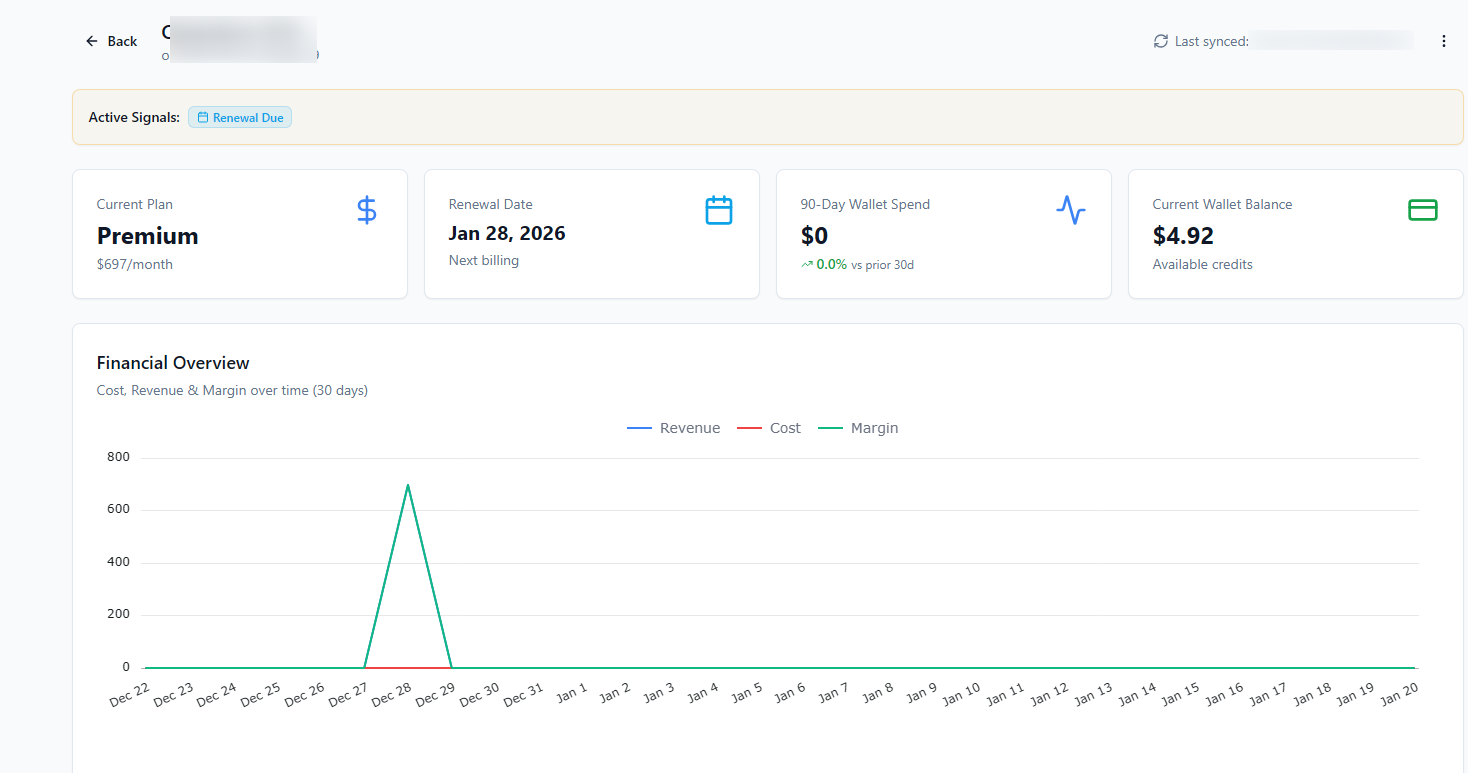
The Account-Level Revenue view lets you review revenue, cost, margin, renewals, and risk signals for each individual account.
It helps you move from high-level trends to specific accounts that need action.
Why This Matters
Dashboards show patterns. Accounts show reality.
Reviewing revenue at the account level helps you:
Prioritize high-value customers
Spot at-risk accounts early
Understand which accounts are profitable
Decide where your team should focus next
This is where Revenue Intelligence turns into action.
Where to Find It
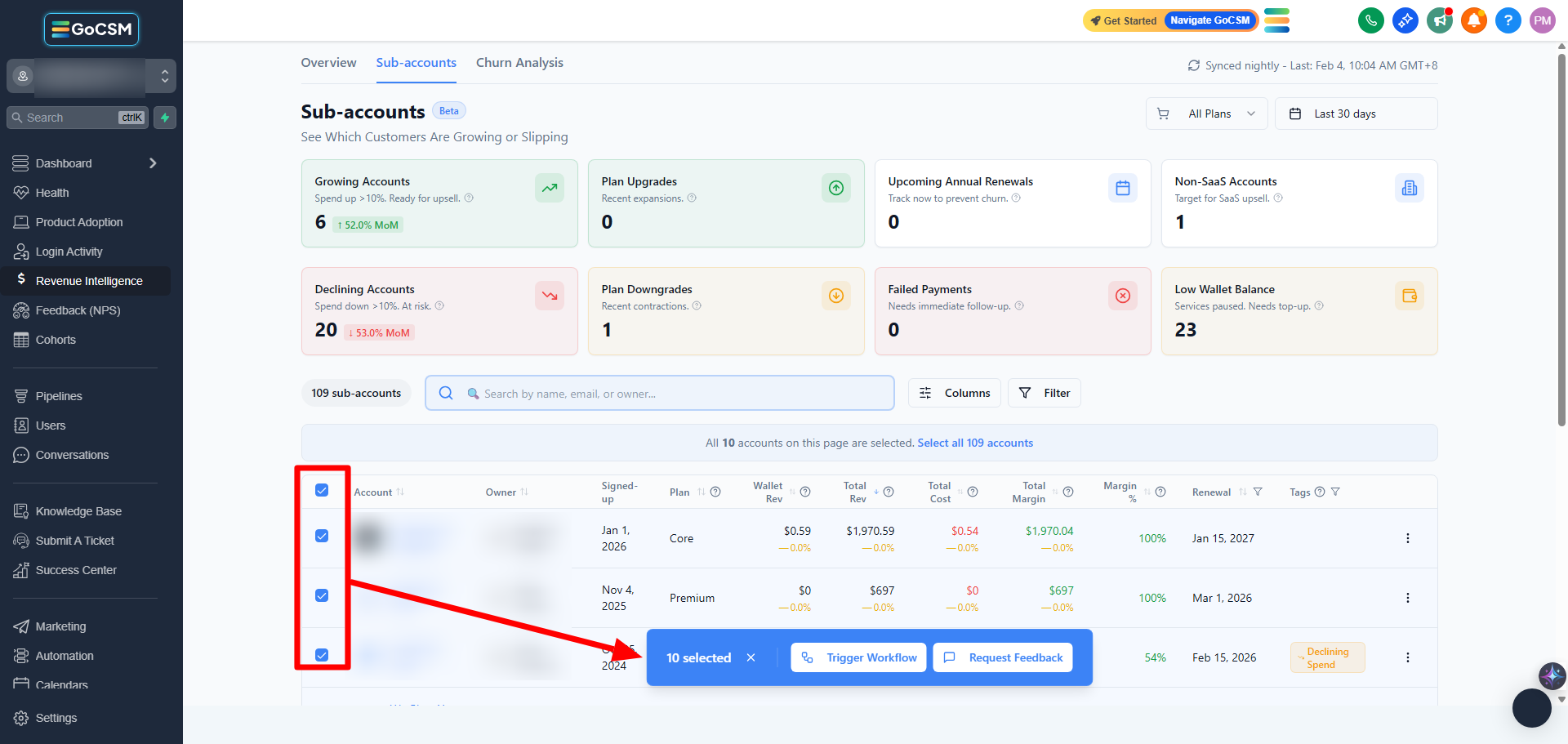
Path: Dashboard → Revenue Intelligence → Sub-accounts
How It Works
Each row in the Sub-accounts table represents one customer account.
For each account, GoCSM displays:
Total revenue
Cost and margin
Margin percentage
Wallet balance and spend
Renewal timing
Payment and risk indicators
Tags showing account signals
All data is synced nightly and reflects recent trends.
How to Read an Account Row
When reviewing an account, look at signals together:
Revenue: How valuable is this account?
Margin: Is the revenue profitable?
Wallet balance: Is usage-based spend at risk?
Renewal date: Is a decision coming up?
Tags: Are there warnings like low wallet, renewal due, or declining spend?
No single column tells the full story, patterns matter.
Common Account Signals Explained
Growing: Revenue is increasing
Declining: Revenue is decreasing
Low Wallet Balance: Usage-based charges may fail soon
Failed Payment: Immediate follow-up needed
Renewal Due: Renewal decision approaching
These signals help you prioritize outreach.
How to Use This View Effectively
Start with high-revenue, low-margin accounts
Prioritize accounts with multiple risk signals
Review this table during weekly or bi-weekly check-ins
Assign ownership for follow-ups and renewals
Automate This with Workflow Triggers
You can automatically or manually take action when these signals appear using Workflow Triggers such as triggering GoHighLevel workflows or requesting feedback directly from the table.
Tips
Don’t treat all accounts equally
Focus on impact, not volume
Use Revenue Intelligence alongside Health Status and Adoption
Who Should Use This
Customer Success Managers
Account managers
Agency owners
Operations teams