How to Use the Revenue Overview Dashboard
Written By GoCSM
Last updated 4 months ago
The Revenue Overview Dashboard gives you a high-level snapshot of your overall revenue performance and profitability.
It combines revenue, cost, margin, churn, renewals, and payment risk into one place so you can quickly understand what’s happening and where to look next.
Why This Matters
Revenue issues usually appear as patterns, not one-time events.
This dashboard helps you:
See revenue health without digging into reports
Spot early warning signs before revenue is lost
Focus on trends instead of daily fluctuations Decide which accounts or areas need deeper review
It’s designed to guide decisions, not replace accounting tools.
Where to Find It
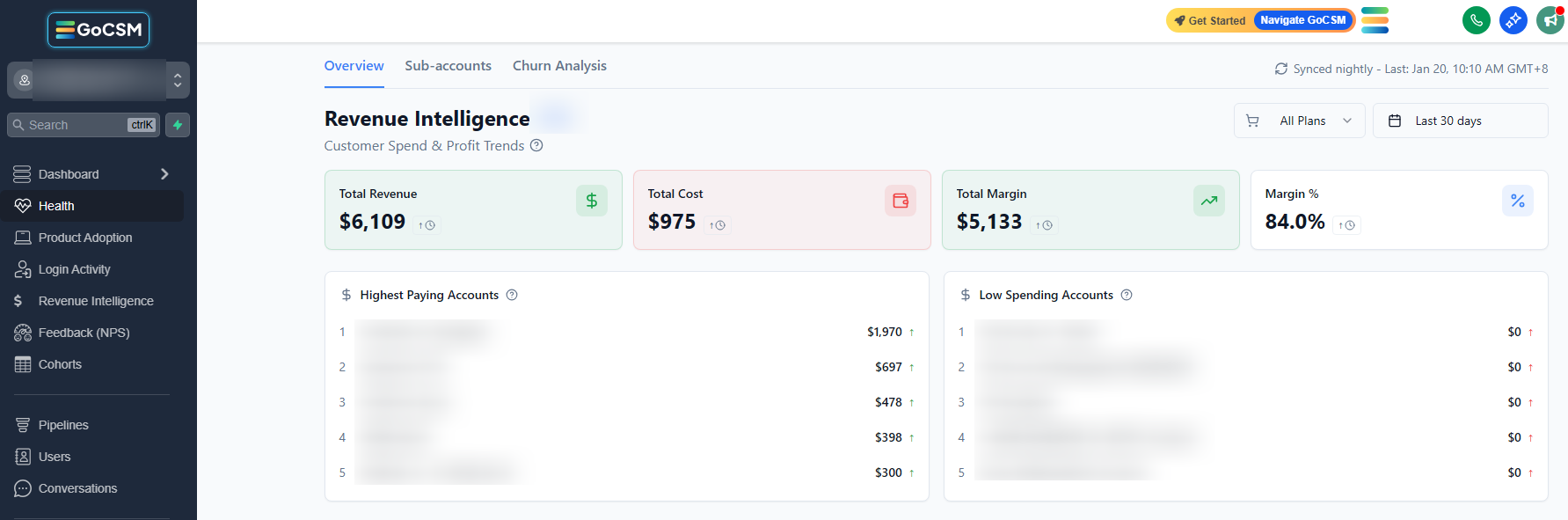
Dashboard → Revenue Intelligence → Overview
How It Works
The Revenue Overview Dashboard pulls data from:
Subscriptions (recurring revenue)
Usage-based wallet spend
Service costs
Renewal dates
Payment activity
Data is synced nightly, so numbers may not reflect same-day changes. This dashboard is best used for weekly and monthly reviews.
Each card and chart is meant to point you toward investigation, not act as a final answer.
What You’ll See on the Dashboard
Revenue, Cost, and Margin Summary

Top-level cards showing:
Total Revenue
Total Cost
Total Margin
Margin Percentage
These help you understand both growth and profitability at a glance.
Revenue and Margin Trends
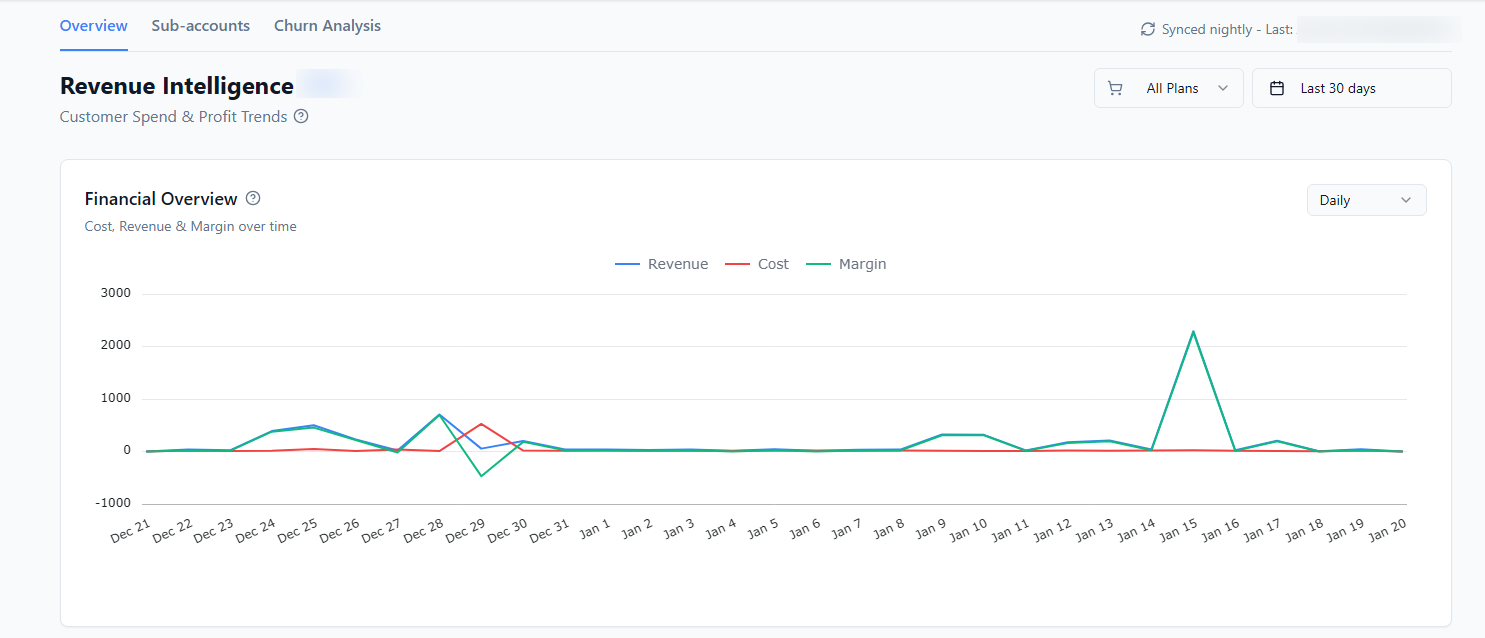
Line charts showing how revenue and margin change over time
Direction matters more than exact values
Short-term movement is normal
Consistent declines require attention
Growth and Decline Indicators
Visual indicators highlighting:
Growing accounts
Declining accounts
This helps you understand whether revenue movement is driven by expansion or contraction.
Churn, Renewals, and Payment Risk
Cards and sections that surface:
Revenue churn
Upcoming renewals
Failed payments and low wallet balance signals
These are early warning areas that should be reviewed regularly.
How to Use This Dashboard Effectively
Start with trends, not individual numbers
Click into Sub-accounts or Churn Analysis when something stands out
Review alongside Health Status and Product Adoption
This dashboard works best as a starting point, not a final destination.
Tips
Review weekly for patterns, monthly for decisions
Watch margin changes, not just revenue growth
Assign clear ownership for renewals and payment follow-ups
Who Should Use This
Agency owners
Leadership teams
Customer Success Managers
Operations and finance teams
Related Articles
Track Revenue Intelligence Metrics
Understand Cost, Margin, and Profit
Review Revenue at the Account Level
Understand Revenue Churn and Risk