Track Monthly Recurring Revenue (MRR)
Written By GoCSM
Last updated 4 months ago
Monthly Recurring Revenue (MRR) shows the recurring subscription revenue generated in a given month from active subscriptions.
Why This Matters
MRR is the foundation of subscription revenue stability.
It helps you:
Understand how consistent your recurring revenue is
Measure sustainable growth over time
See the direct impact of upgrades, downgrades, and cancellations
Establish a reliable baseline for forecasting future performance
Strong MRR indicates your business is built on a dependable subscription base.
Where to Find It
Path: Dashboard → Revenue Intelligence → Overview
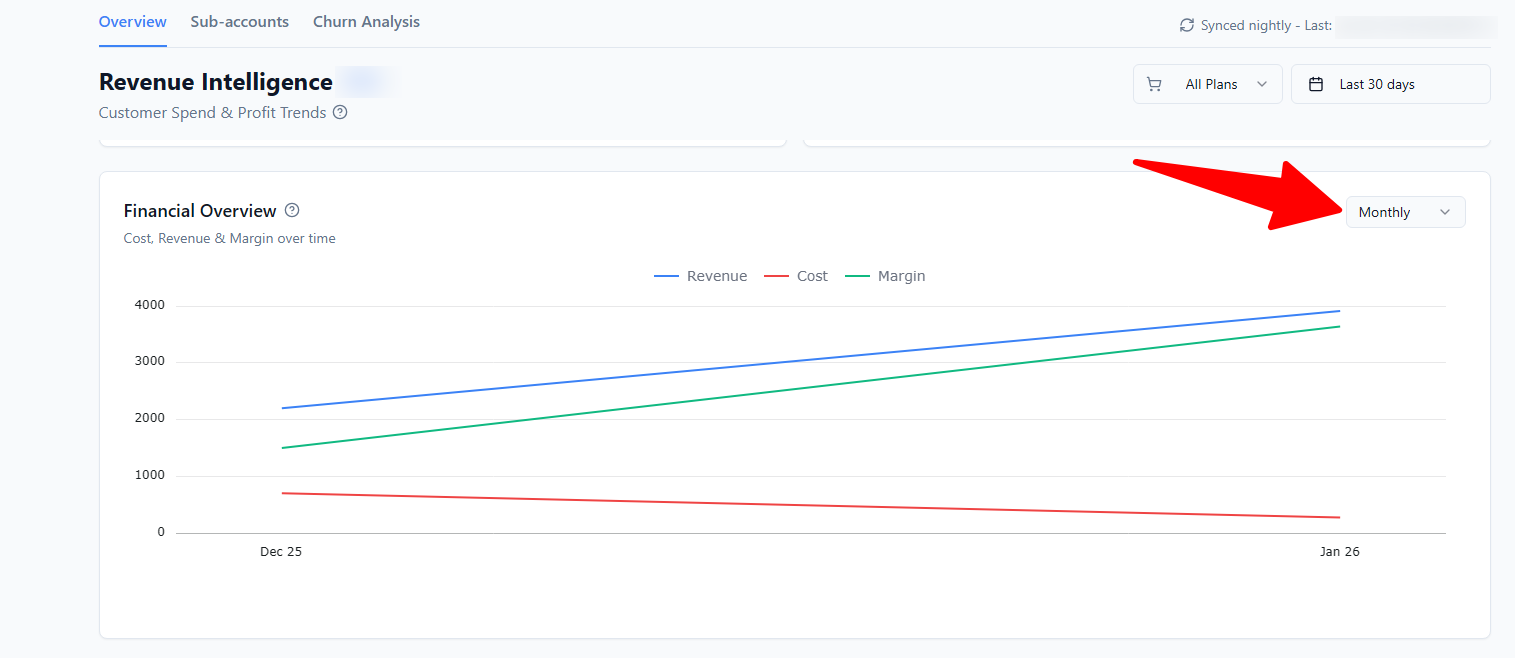
How It Works
GoCSM calculates MRR based on active, recurring subscriptions and their monthly plan value.
MRR changes when:
A new subscription starts
A subscription is upgraded
A subscription is downgraded
A subscription is cancelled
Data is synced nightly, so MRR reflects directional trends rather than same-day fluctuations.
What’s Included in MRR
Active recurring subscription charges
Ongoing plan fees
What’s Not Included in MRR
Usage-based wallet spend (SMS, AI, calls, email, ads)
One-time fees
Setup or onboarding charges
Cancelled subscriptions
This keeps MRR focused on predictable, recurring income.
How MRR Differs From Total Revenue
MRR shows subscription stability
Total Revenue may also include usage-based charges
Both are important, but they answer different questions.
How to Read MRR Correctly
Rising MRR = sustainable growth
Flat MRR = stability with limited expansion
Declining MRR = early revenue risk
Small, consistent changes matter more than short-term spikes.
Tips
Review MRR weekly or monthly, not daily
Pair MRR with Average Revenue Per Account to spot expansion opportunities
Investigate declines early, before they lead to churn
Who Should Use This
Agency owners
Customer Success Managers
Account managers
Operations and finance teams
Related Articles
Track Revenue Intelligence Metrics
How to Use the Revenue Overview Dashboard
Understand Average Revenue Per Account
Understand Revenue Churn and Risk