Priority Accounts
Written By GoCSM
Last updated 5 months ago
What Are Priority Accounts?
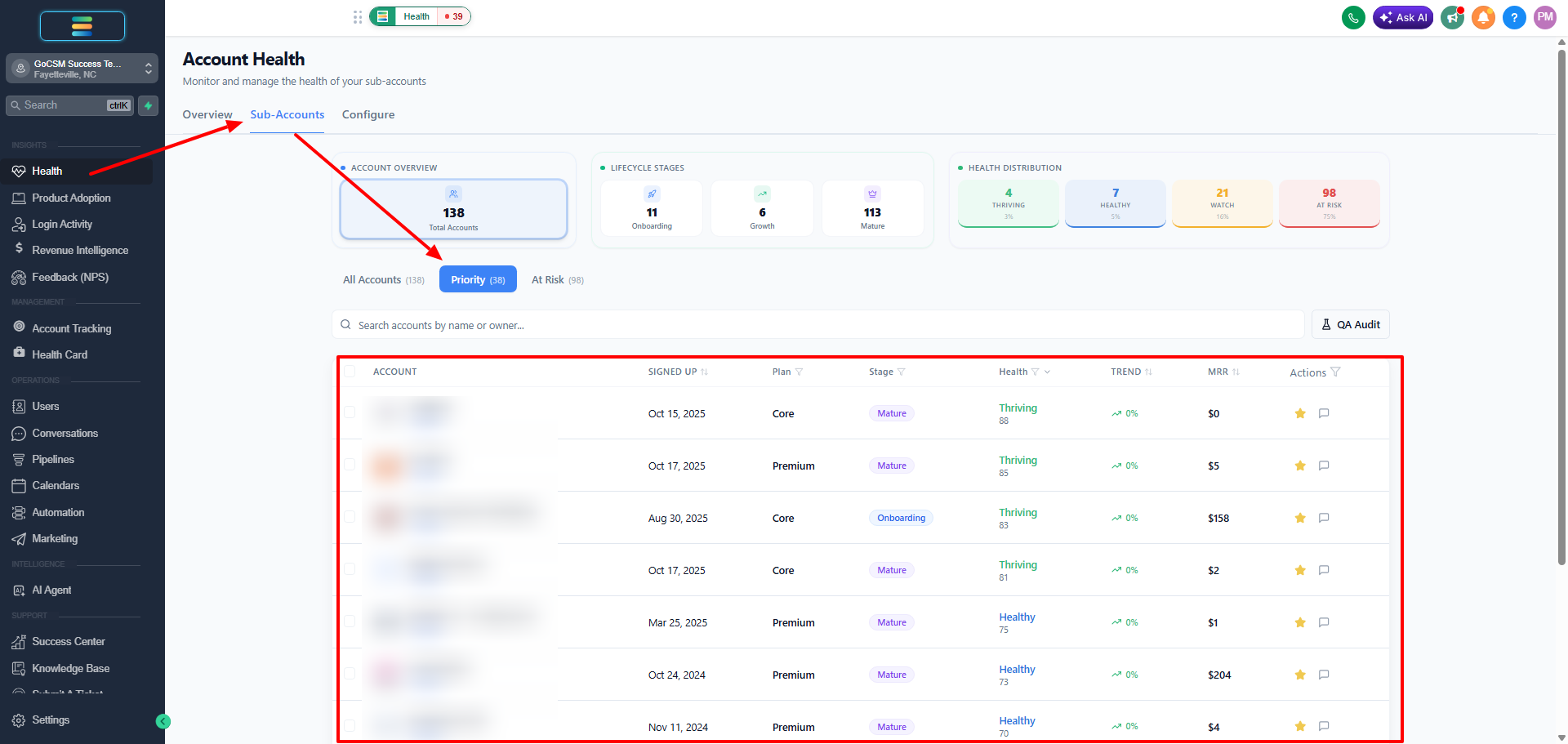
Priority Accounts is an internal designation in GoCSM that lets you flag specific accounts for quick visibility and easy filtering. When you mark an account as a priority, a star icon next to that account turns amber, making it instantly recognizable in your account list.
This designation is internal only, meaning your clients will not see whether their account has been flagged.
Why Use Priority Accounts?
The Priority Accounts feature is designed to help you stay focused on the accounts that matter most. Common use cases include:
Upsell opportunities -- Flag accounts with high upsell or expansion potential so you can revisit them regularly and act on the right timing.
Active monitoring -- Keep track of accounts you are currently working with, onboarding, or troubleshooting.
Strategic accounts -- Highlight key accounts that carry significant revenue or relationship value.
How to Flag a Priority Account
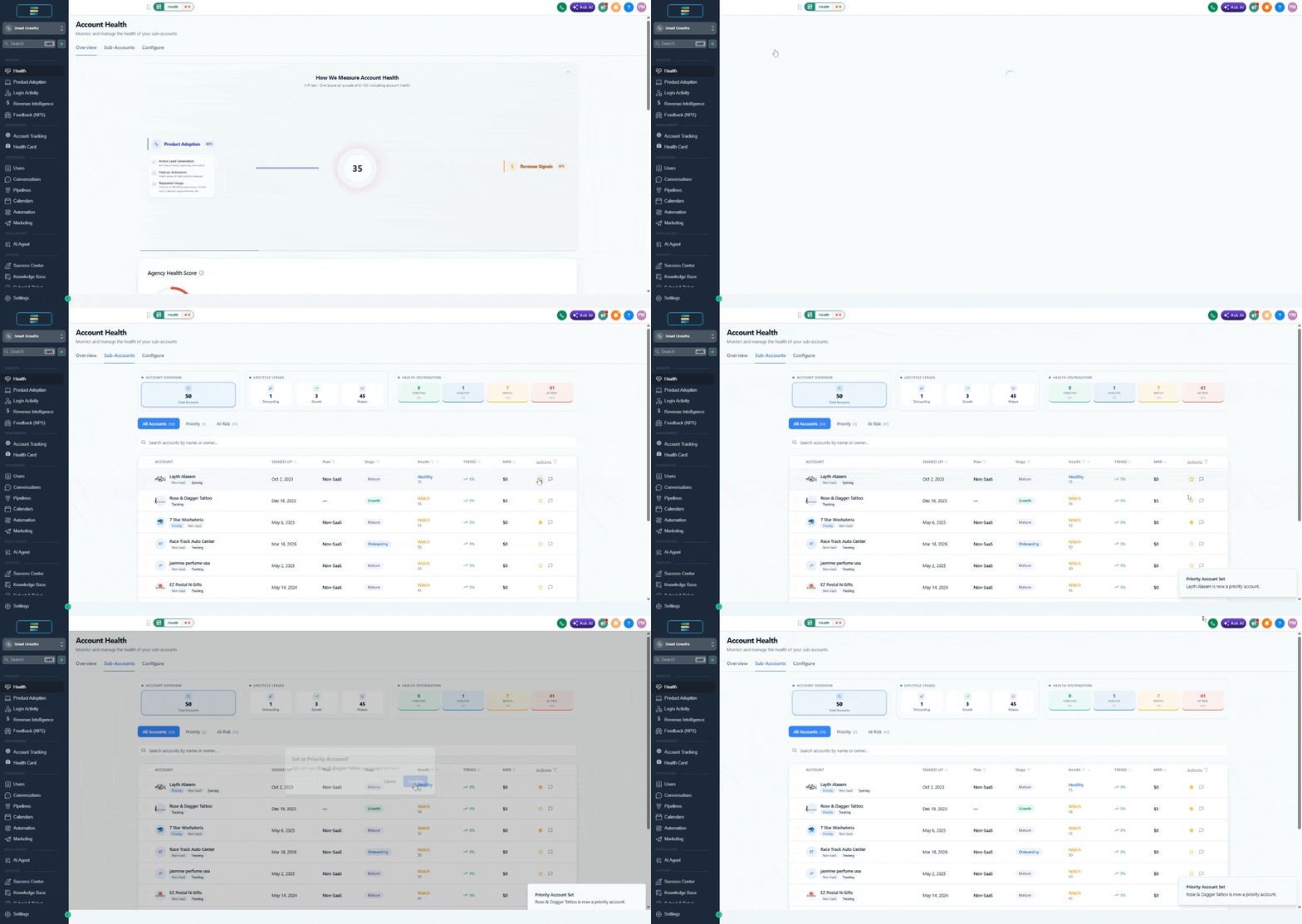
Navigate to Health, Product Adoption, or Login Activity, then open the Sub-accounts list
Locate the star icon next to the account you want to flag.
Click the star. It will turn amber to confirm the account is now marked as a priority.
To remove the designation, simply click the amber star again and it will revert to its default state.
Filtering by Priority Accounts
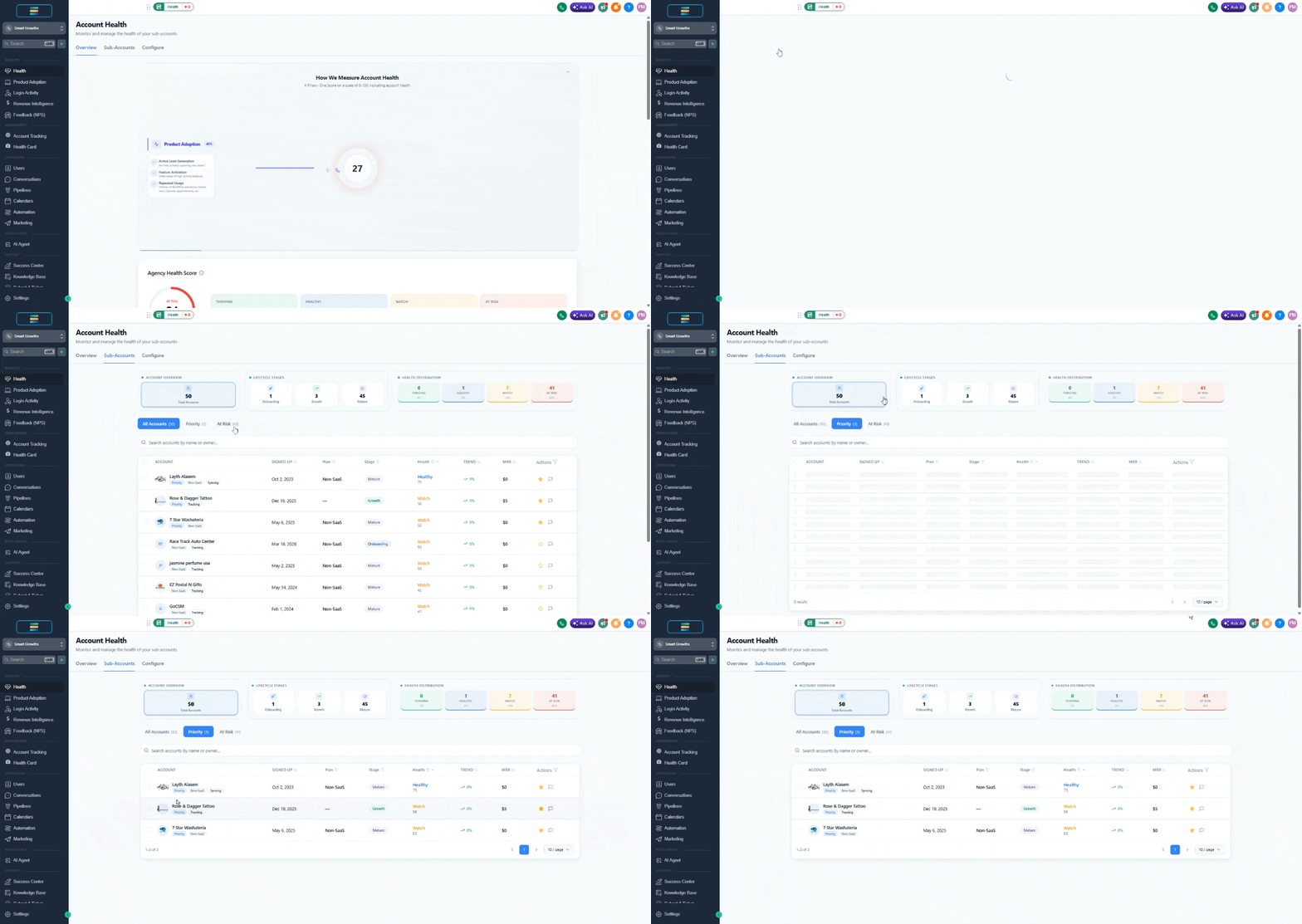
Once you have flagged your priority accounts, you can filter your account list to show only those accounts. This makes it easy to pull up a focused view of the accounts that need your attention without scrolling through your full book of business.
Best Practices
Be selective. If every account is a priority, none of them are. Reserve this designation for accounts where focused attention will drive the most impact.
Review regularly. Revisit your priority list on a weekly or biweekly basis. Remove accounts that no longer need close monitoring and add new ones as situations evolve.
Pair with health scores. Use Priority Accounts alongside GoCSM health scores to get a complete picture. A priority account with a declining health score is a clear signal to act.
Align with your team. If multiple CSMs are working in the same GoCSM instance, agree on what "priority" means for your team so the designation stays consistent and useful.