Health Scores
Intermediate CSM Practice
Written By GoCSM
Last updated 5 months ago
1. What are Health Scores?
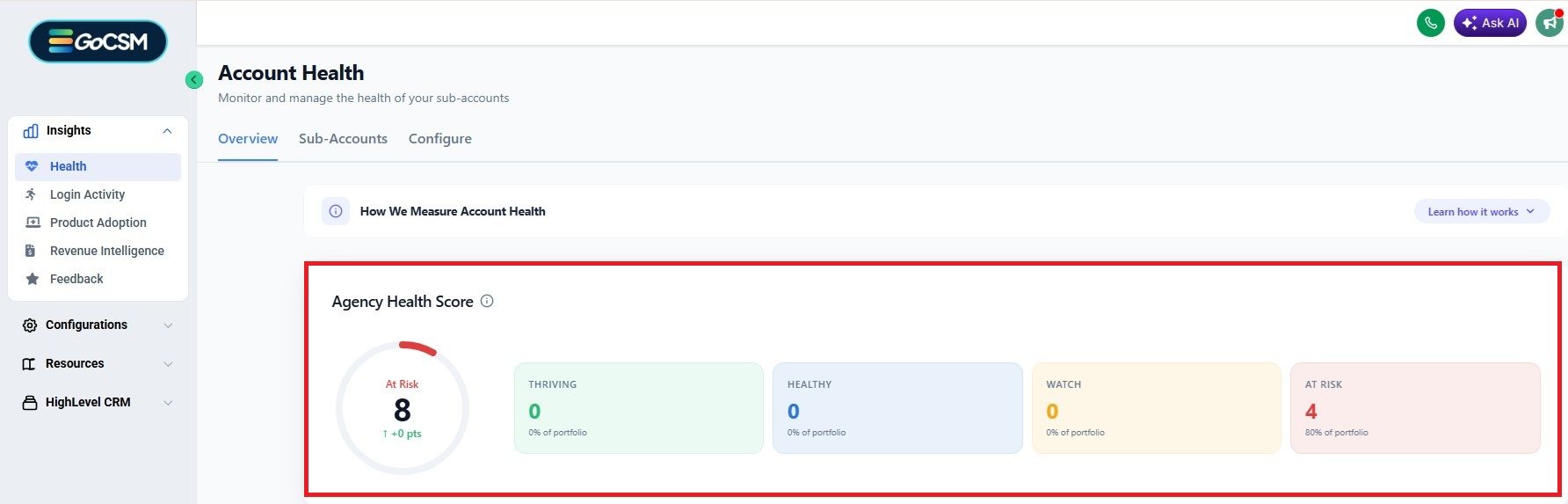
Health Status is an evaluation of customer engagement based on activity levels. It tracks Login Activity, Product Adoption, Revenue, and Customer Feedback (NPS) to calculate a Health Score for each client, and subsequently - for your agency.
2. Why we made this?
We created this to help agencies isolate and filter clients by Health Scores, thus finding early opportunities to prevent churn or upsell clients.
Instead of just looking at daily activity, Health Scores give a bigger picture of account engagement and helps spot customers who need attention.
3. How to use Health Scores?
3.1. Health Status Calculations & Configuration
3.1.1 HEALTH SCORE CONFIGURATION
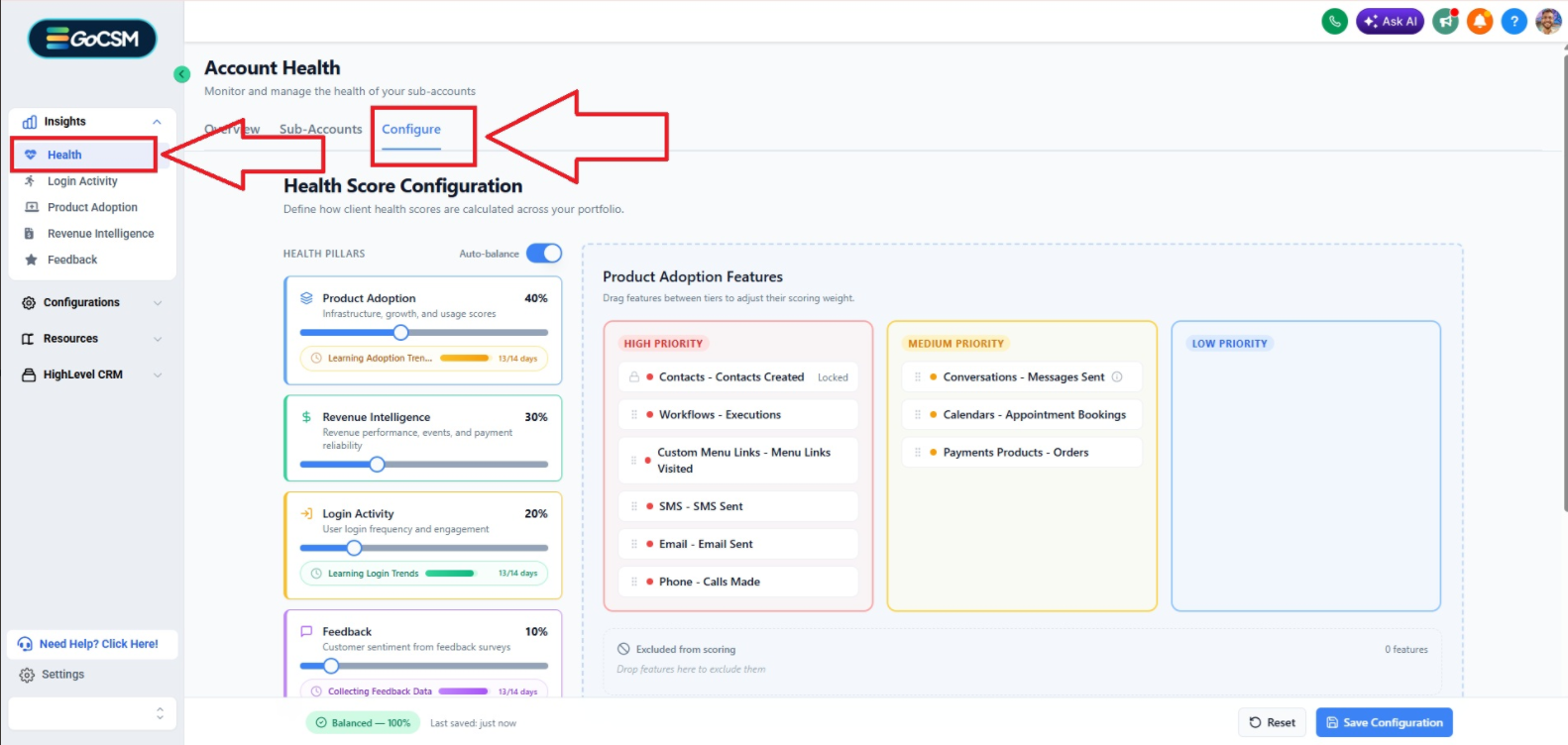
Since every agency's business and service model is unique, you can modify how Health Scores are calculated by navigating to Health → Configure:
3.1.2 HEALTH PILLARS:
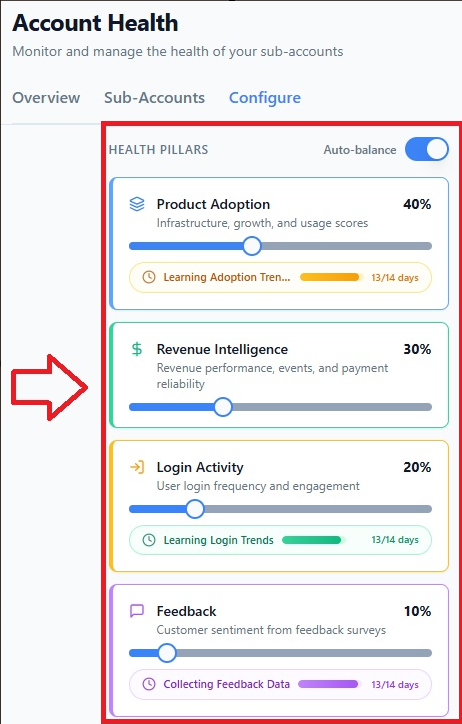
💡 Make sure the total sum of all 4 factors adds up to 100%.
Product Adoption: Measures usage, such as time spent in features, new contacts created, appointments scheduled, workflow executions, payments collected, outbound and inbound conversations and phone calls, and custom menu link visits.
Revenue Intelligence: Measures overall revenue, wallet spend, add-ons, and payment reliability per client.
Login Activity: Measures user login frequency and time spent in the platform (mobile and browser).
Feedback: Measures customer sentiment collected from GoCSM’s Feedback (NPS) tool.
3.1.3 PRODUCT ADOPTION FEATURES WEIGHT CONFIGURATION
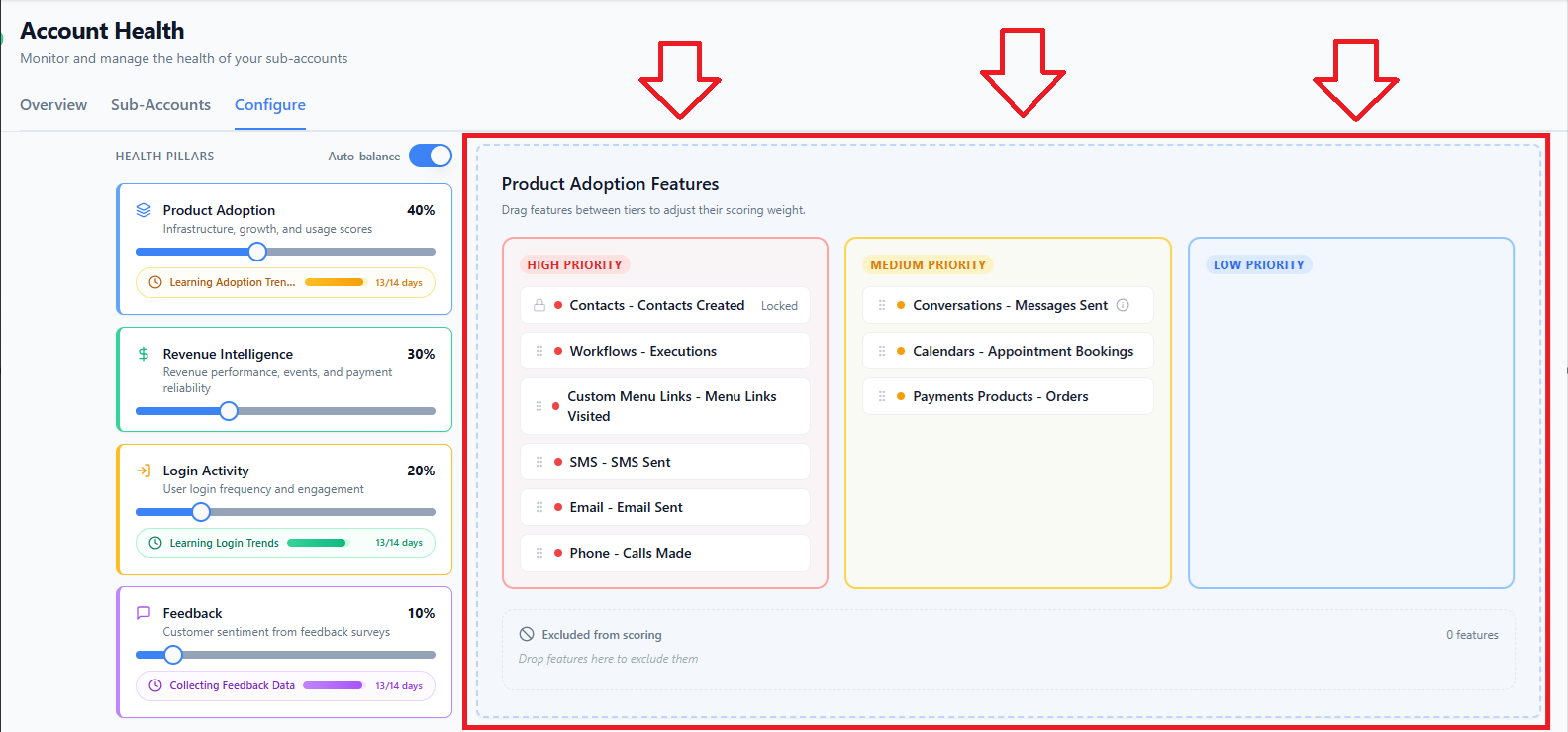
GoCSM gives you the ability to define the weight for core HighLevel features. You are given 4 boxes:
High Priority
Medium Priority
Low Priority
Excluded from scoring
You may drag-and-drop features between the 4 boxes to establish the weight of each feature in respect to Health Score calculation.
Note: All features in a single box are of equal weight. For example, if you have “Contacts - Contacts Created” and “Workflows - Executions” in High Priority, they are both considered equally high priority.
3.1.4 ACCOUNT LIFECYCLE STAGES
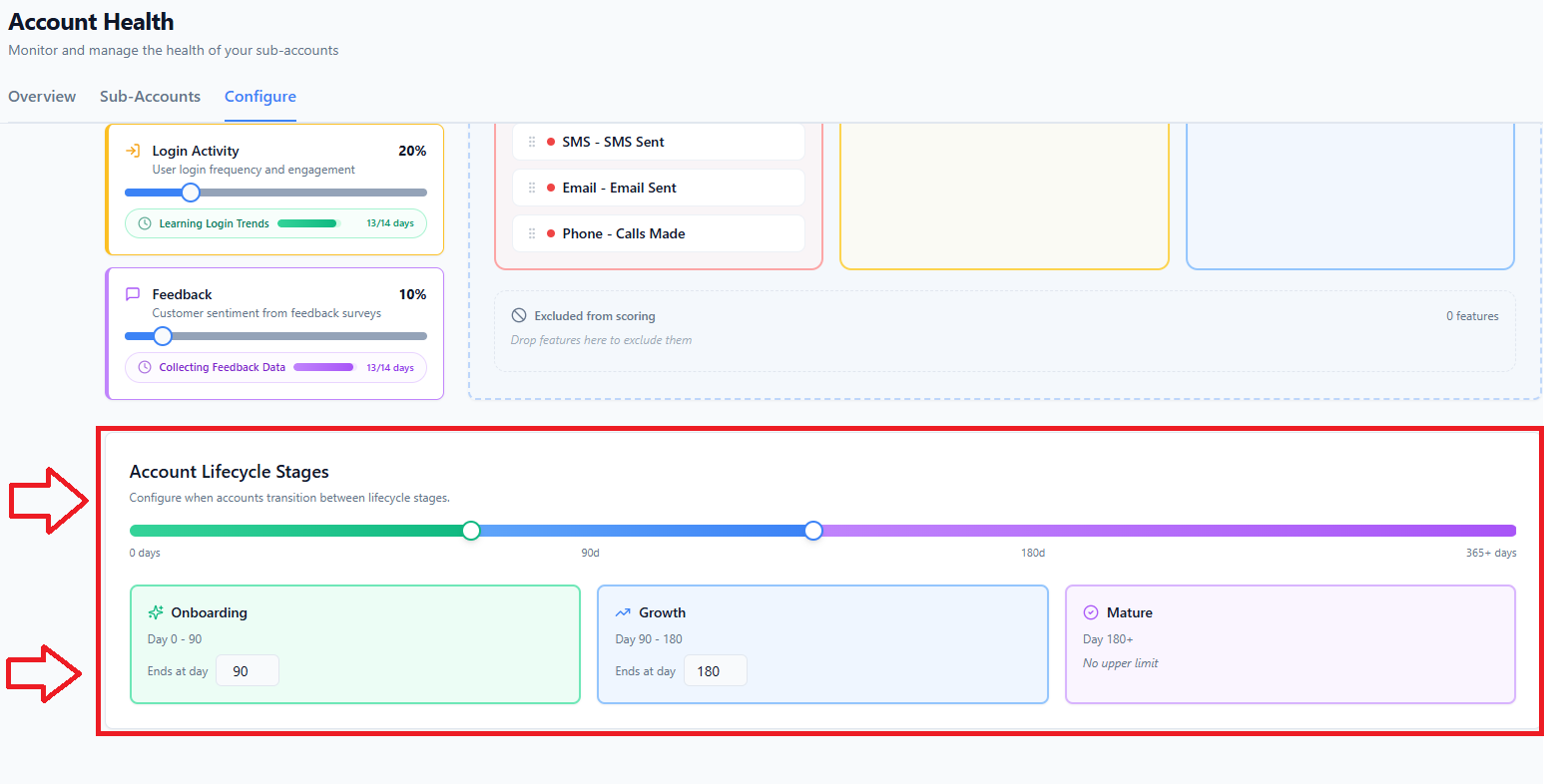
GoCSM lets you define your clients’ lifecycle stages, depending on your agency’s internal definition for each lifecycle stage: Onboarding, Growth, and Mature.
This allows you to later filter your accounts by their lifecycle stage, so that you may see the performance and engagement of clients that belong in a particular stage.
Use the draggable white dots OR the number box to edit the days range for each stage.
The 3 stages are:
Onboarding - Client is still in onboarding phase.
Growth - Client has onboarded, but is not “Mature” yet - needs to be watched closely.
Mature - Client is “Mature” - needs to be monitored for red flags or upsell opportunities.
3.1.5 HEALTH SCORE DEFINITIONS
🟢 Thriving (76%+) – Very active and engaged customers.
🟡 Healthy (51%-75%) – Engaged but with room for improvement.
🔵 Watch (26%-50%) – Somewhat engaged, needs attention.
🔴 At Risk (0%-25%) – Low activity, might need urgent action.
4. HOW TO USE HEALTH SCORES
You can use Health Scores to filter Clients by their Health Score from the Health module.
Examples:
Go to Health → Sub-Accounts → Click on “At Risk” or “Watch” to quickly see a list of Clients showing red flags in these two corresponding categories.
Filter by “Thriving” or “Healthy” to quickly see a list of Clients who might be due for an upsell

Track client usage trends over time instead of just daily activity.
Customize success metrics based on your business goals.
5. Who this is for?
Customer Success Teams – Helps understand which customers need support.
Customer Success Directors – Identify repeatable patterns that indicate a systemic issue.
Sales & Growth Teams – Identify clients who might be open to upgrades.
Business Owners & Executives – Identify high-level systemic issues tied to your Marketing, Target Demographic, Sales, or Onboarding.
Was this helpful?
Still need help? Ask the team