Sub Account Health Card
Intermediate CSM Practice
Written By GoCSM
Last updated 4 months ago
1. What is the Sub-Account Health Card
The Sub Account Health Card is an Agency-Admin & Agency-User ONLY visible card that lives inside of your clients’ Sub-Accounts, inside your HighLevel Agency.
It can be seen at the top of the page, inside of your Client Sub-Accounts:

It gives you a detailed view of each subaccount’s engagement and activity straight from your Clients’ Sub-Accounts, providing insights into login history & activity, feature usage, revenue, feedback, and time spent per feature - at a glance.
Note: You may drag and drop the Account Health Card anywhere in the top Header bar, and it will save its location.
2. Why we created the Sub-Account Health Card
We created the Sub Account Health Card so you can quickly assess the health of any company in depth straight from your Clients’ Sub-Accounts inside your agency, without the need to log-in to GoCSM to view that data.
3. How to use Sub-Account Health Cards
3.1. Adjust Who Can See Sub-Account Health Cards
Login to GoCSM.
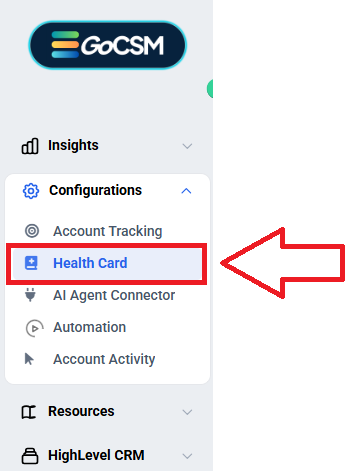
Navigate to Configurations → Health Card
Adjust who can see the Sub-Account Health Card:
Enable or Disable the Sub-Account Health Card
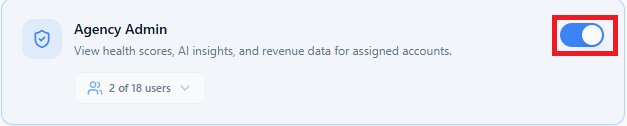
Select which Agency Admins can see the Sub-Account Health Card

Enable Visibility for all Agency User

3.2. What You’ll See in the Health Card
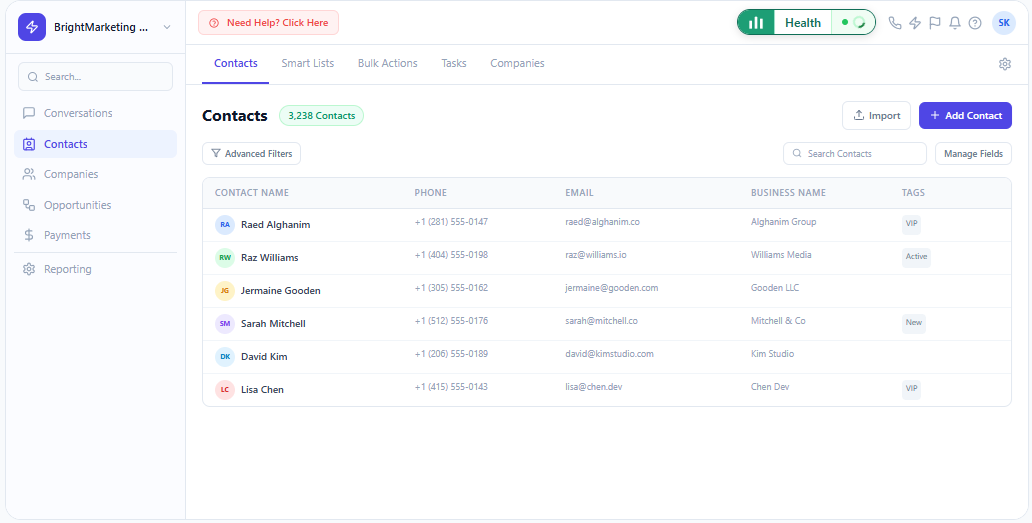
📊 Overall Health Status & Score – Thriving, Healthy, Watch, or At-Risk
🔄 Login Activity – When users last logged in and how often they engage.
⭐ Feedback (NPS Scores) – Customer sentiment based on collected feedback.
📌 Feature Usage – A breakdown of which features are used and for how long.
🔍 Time Spent on Each Feature – View engagement levels for different tools.
👥 User-Level Insights – See activity data per individual user within the subaccount.
3.3. Filtering by User
You can switch between a company-wide view and individual user activity to analyze engagement on a more granular level.
This helps in identifying active, at-risk, or disengaged users within a company.
4. When to use the Sub-Account Health Card
When reviewing a company’s overall engagement and health.
When identifying which features a company uses least, most, or not at all.
When deciding who to follow up with based on login activity and usage trends.
When tracking customer sentiment and feedback over time.
5. Who’s this for?
Customer Success Teams – To ensure subaccounts are active and engaged.
Support Teams – To diagnose user issues based on feature usage.
Sales & Account Managers – To spot upsell or renewal opportunities.
Agency Owners & Executives – To oversee account health at a high level.
Was this helpful?
Still need help? Ask the team