Payment Failed (Trigger)
Written By GoCSM
Last updated 6 months ago
Overview
The Payment Failed trigger activates when a customer’s payment attempt fails.
Payment failures are one of the most common causes of interrupted subscriptions and potential churn. Automating responses to these events ensures both your team and your customer are informed quickly.
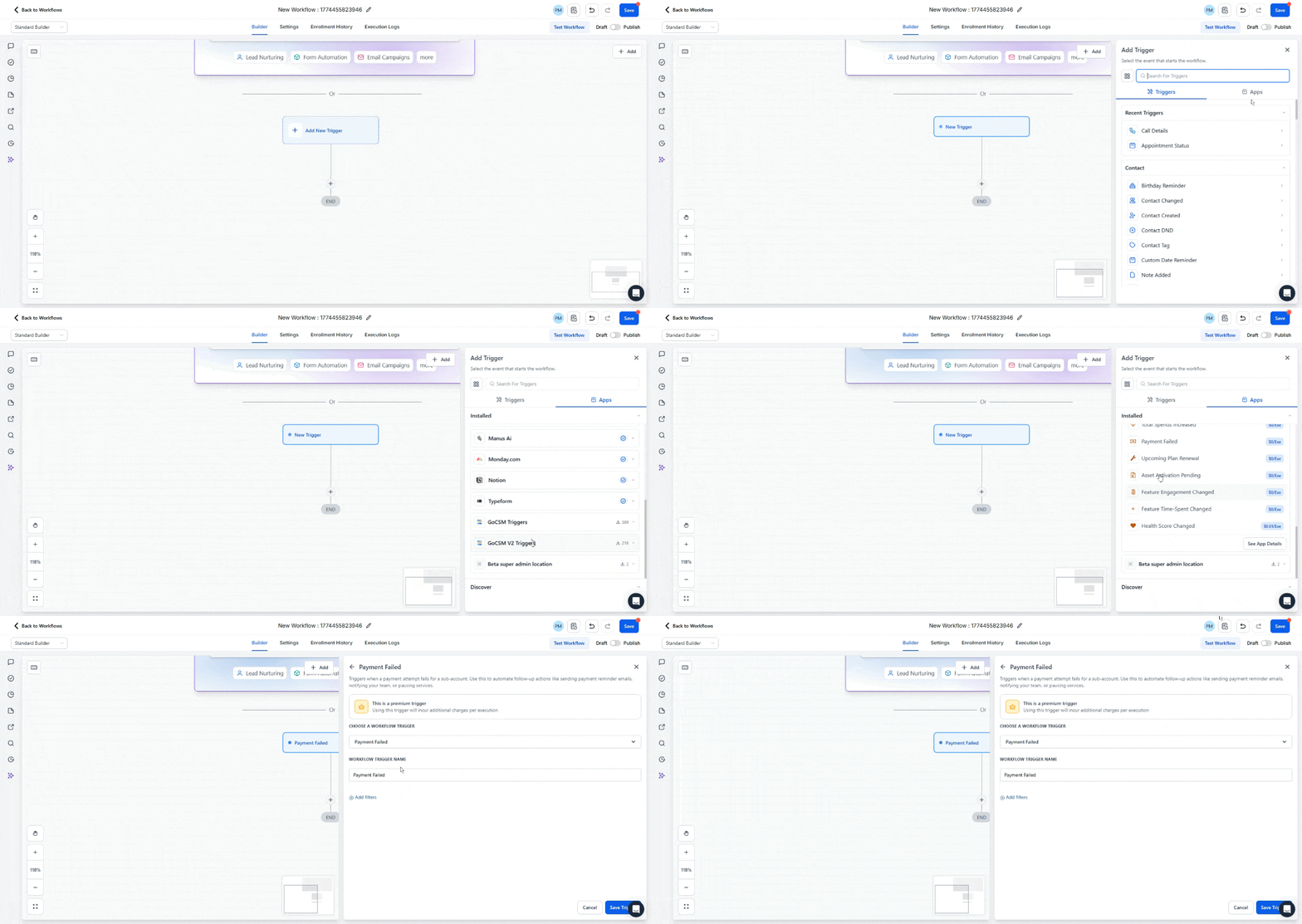
How the Trigger Works
When GoCSM detects a failed payment event from the integrated billing system, the workflow will automatically start.
This allows your automation to immediately respond by:
Notifying your Customer Success or billing team
Sending a payment update reminder to the customer
Tagging the account for billing follow up
Creating internal support tasks
You can apply filters to control which failed payment events activate the workflow.
Trigger Filters
Filters let you narrow down which failed payment events activate this trigger. Both filters are optional and can be used together.
Priority Accounts
Limits the trigger to accounts based on their priority status.
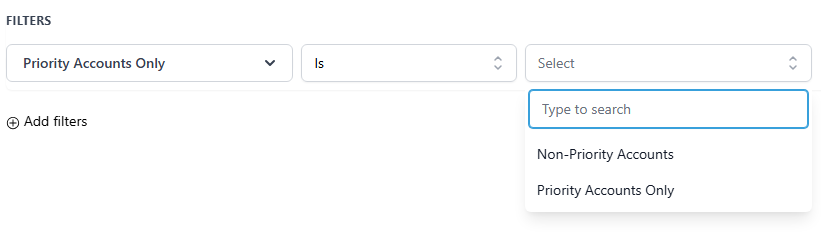
Use this to create separate workflows with different urgency levels. For example, routing priority account failures directly to a senior CSM while sending non-priority accounts through a standard automated email sequence.
SaaS Plan
Limits the trigger to accounts on a specific SaaS plan. The available plan options reflect the plans configured within your agency.
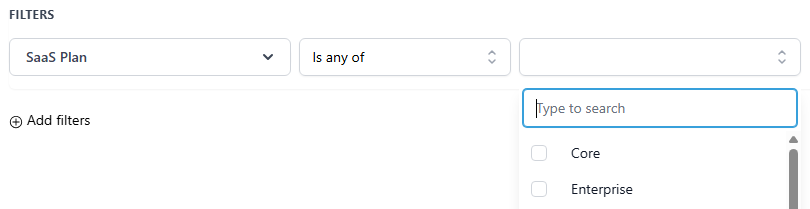
Use this to tailor your response based on the customer's plan tier. For example, triggering a more hands-on internal response for higher-tier accounts while sending a self-serve payment update link to lower-tier accounts.
Required Setup: Find Contact Step
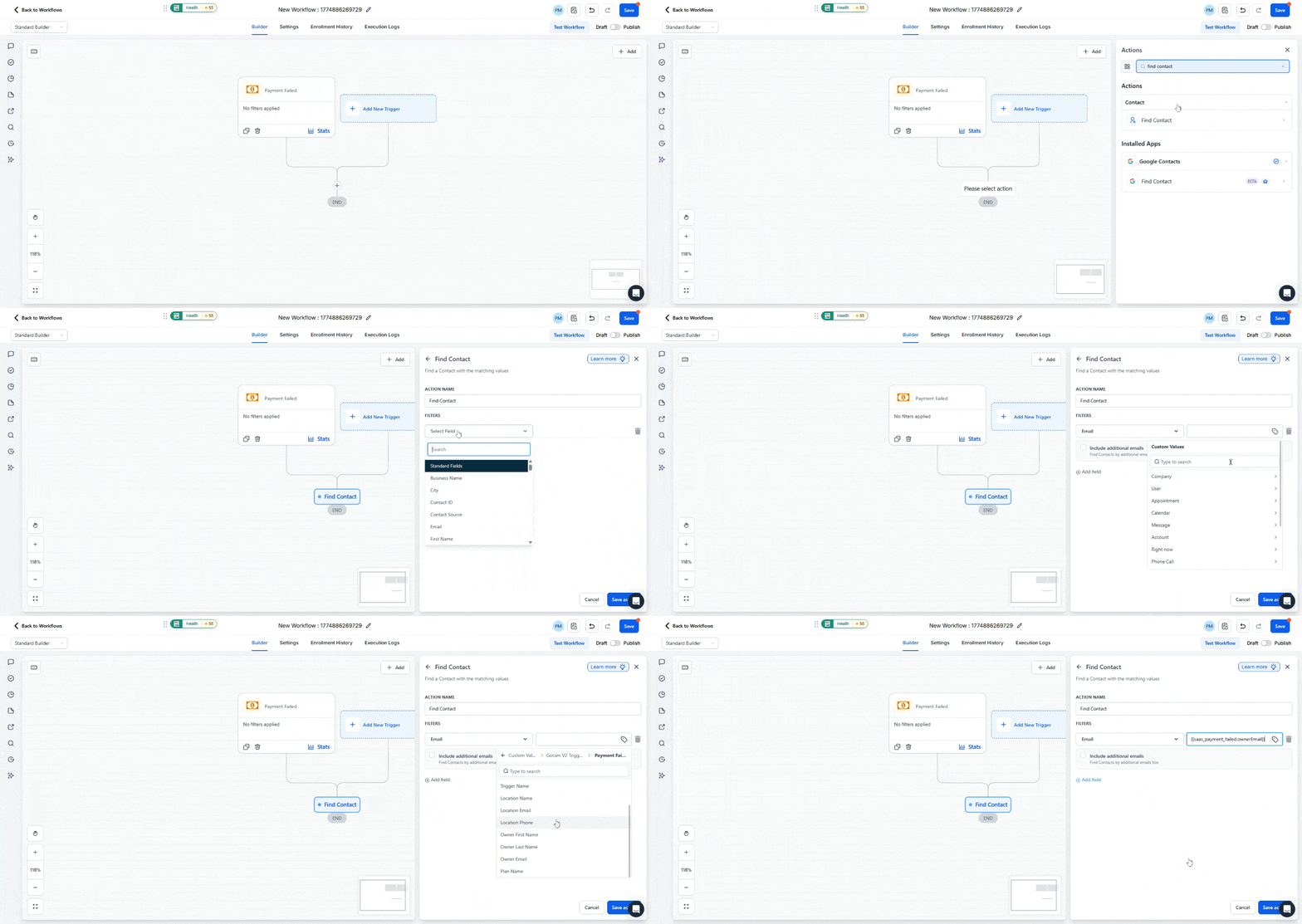
The Find Contact action is required so GoCSM can identify which CRM contact the failed payment belongs to.
The trigger provides identifying information such as the user’s email. The Find Contact step uses this information to match the billing event with the correct contact record.
Typical configuration:
Field: Email
Value: {{saas_payment_failed.ownerEmail}}
Once the contact is found, all subsequent actions in the workflow can be applied to the correct customer.
How to Build a Workflow Using This Trigger
Create a new workflow
Select Payment Failed as the trigger
Add the Find Contact action step
Map the Email field using the trigger variable (
{{saas_payment_failed.ownerEmail}} )Add automation steps such as notifications or payment reminders
Publish the workflow
Recommended Uses
Notify your billing or Customer Success team immediately when any payment fails
Route priority account failures to a senior CSM for personal outreach
Send automated payment update reminders to customers on lower-tier plans
Trigger separate internal alerts for high-value accounts versus standard automated recovery sequences for others
Tag failing accounts for billing follow-up so nothing falls through the cracks
Was this helpful?
Still need help? Ask the team