Health Status
Intermediate CSM Practice
Written By GoCSM
Last updated 4 days ago
1. What is this?
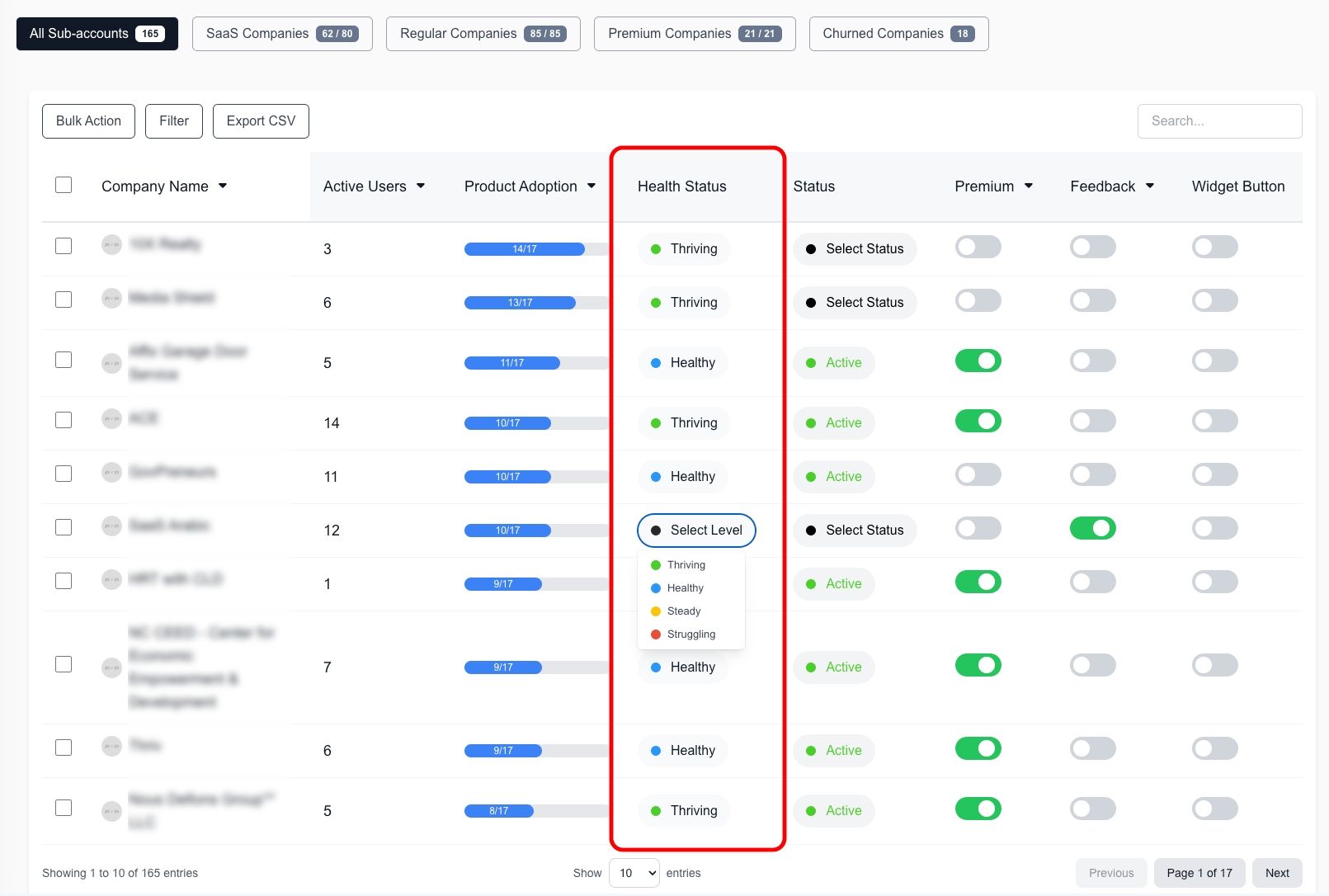
Health Status is a monthly evaluation of customer engagement based on activity levels. It tracks Login Activity, Product Adoption, and Customer Feedback (NPS) to determine how actively users engage with your platform. Each factor contributes 33.33% to the total Health Score, and the system calculates a monthly average to provide a stable view of engagement trends.
2. Why we made this?
We created this to help businesses see how active their customers are over time. Instead of just looking at daily activity, this gives a bigger picture of user engagement and helps spot customers who need attention. Since every business is different, you can also customize how the score is calculated.
3. How to use this?
3.1. How Health Status is Calculated
1️⃣ Tracks Key Activities – Measures logins, feature usage, and customer feedback.
2️⃣ Weekly Scores – Activity is calculated every week.
3️⃣ Monthly Average – Weekly scores are averaged to smooth out fluctuations.
4️⃣ Health Status Assigned – Customers are grouped based on their activity level:
🟢 Thriving (76%+) – Very active and engaged customers.
🟡 Healthy (51%-75%) – Engaged but with room for improvement.
🔵 Watch (26%-50%) – Somewhat engaged, needs attention.
🔴 At Risk (0%-25%) – Low activity, might need urgent action.
Customizing Health Scores
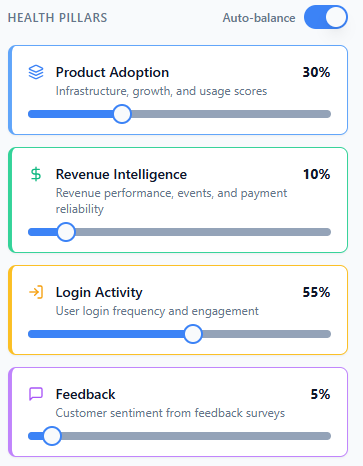
You can adjust how the score is calculated by setting different weights for:
Product Adoption (Feature usage & time spent) – How important feature usage is.
Revenue Intelligence - Factors in changes is wallet spend, on-time payments, subscription upgrades/downgrades, and add-ons.
Login Activity (How often users log in) – How critical regular logins are.
Customer Feedback (NPS ratings & surveys) – How much customer opinions impact the score.
💡 Make sure the total of all four factors adds up to 100%.
4. When to use this?
To check how engaged your customers are.
To spot customers who need help before they stop using your platform.
To track trends over time instead of just daily activity.
To customize success metrics based on your business goals.
5. Who's this for?
Customer Success Teams – Helps understand which customers need support.
Sales & Growth Teams – Identify users who might be open to upgrades.
Support Teams – Focus on customers who are not actively using the platform.
Business Owners & Executives – Get a clear overview of customer engagement.