Submit A Ticket
Written By GoCSM
Last updated Over 1 year ago
Get Support When You Need It
If you’re stuck, confused, or just need a hand — we’ve got you. Submitting a support ticket helps us track your issue and get you help from the right person as fast as possible.
1. How to Submit a Ticket (From Inside GoCSM)
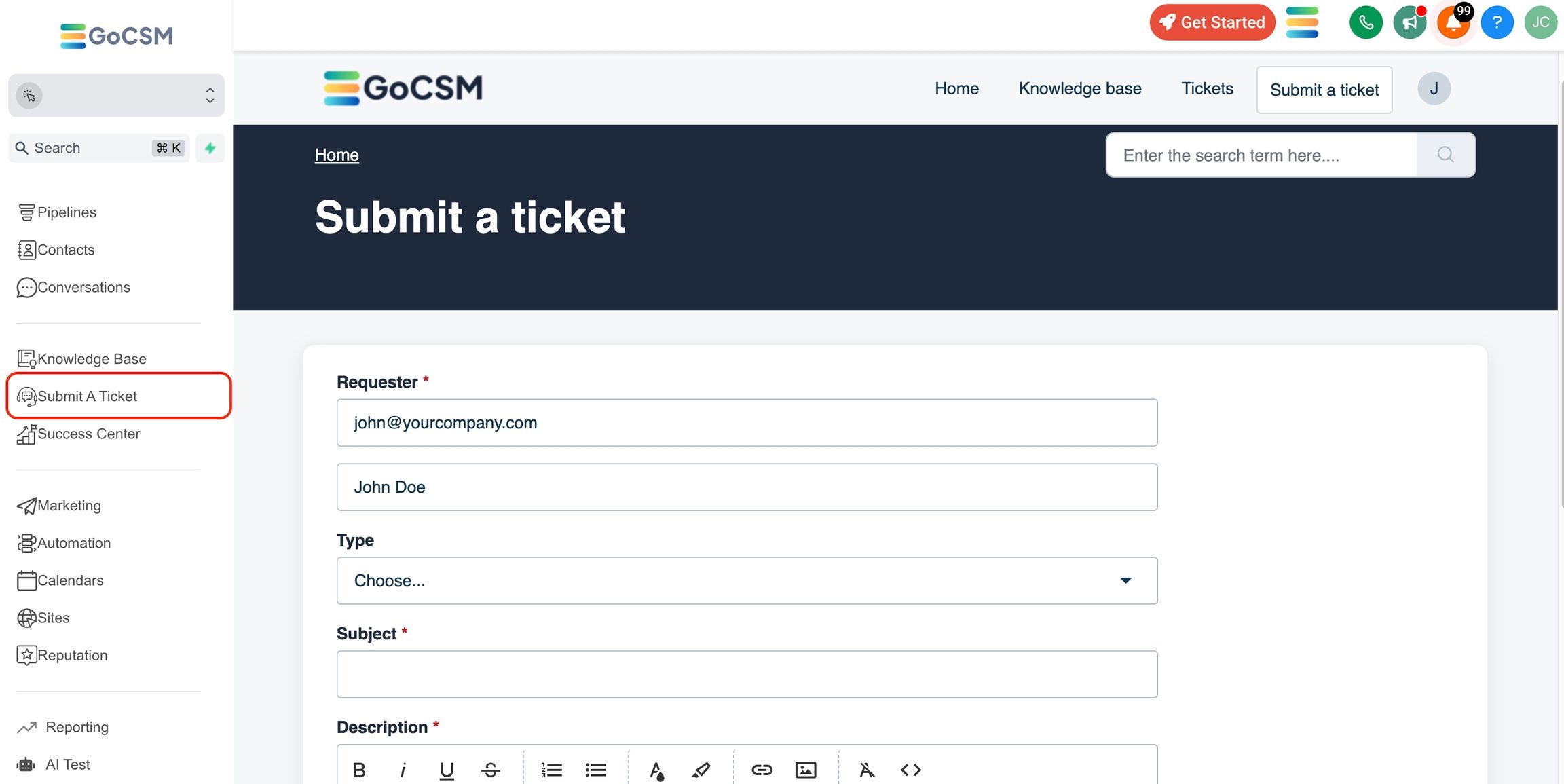
1. Open GoCSM
Log into your GoCSM account.
2. Click the “Submit a Ticket” Button
In the left-hand sidebar, you’ll see a button labeled Submit a Ticket. Click it to open the support form.
3. Fill Out the Form
Here’s what we’ll ask for:
Email: The one linked to your GoCSM account
Subject: A short summary of the issue
Type: Choose from options like:
I Need Help
How-To Question
Billing
Description: Tell us what’s going on. Add screenshots or error messages if needed.
4. Submit
You’ll get an email confirmation with a ticket number for tracking.
2. Alternate Option: Use the Support Portal
You can also submit a ticket by visiting 👉 help.gocsm.com Click “Submit a Ticket” from the top right corner.
3. Prefer Email?
You can email us directly at help@gocsm.com. Just include:
Your account email
A subject
Details about the issue
4. Track Your Ticket
After submitting, you can check the status of your request by:
Logging into help.gocsm.com
Clicking the Tickets tab
We’re here to help — whether it’s a quick fix or a bigger issue, just reach out. 💬
Was this helpful?
Still need help? Ask the team